Udemy
Free Udemy
UdemyMark your own learning status. Opening a course link does not establish enrollment.
This is the fourth installment in a free Figma vector graphics series, moving from flat vector components into full 3D-style building models — office buildings and skyscrapers built from vector parts and reusable components.
Intermediate Figma users who have already completed parts one through three of the series and are comfortable with the fundamentals of vector graphics.
Korshub's take: because this builds directly on parts one through three, it rewards viewers who've done the earlier installments — jumping straight to part four without that foundation will likely feel like missing steps.
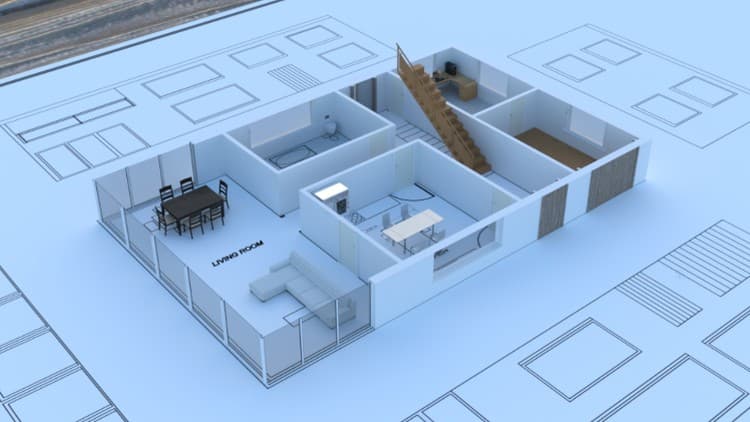
In this training course, you will learn how to create complex objects such as office buildings or skyscrapers. We will start by creating a few vector parts and components from them. Later on, I will demonstrate how to create office building by incorporating various effects and adding finishing touches. Through these techniques, you will be able to design different types of buildings, with your creativity being the only limit to the possibilities.
In the second part, I will demonstrate how to create 3D effect on any vector object and create various types of graphs.
At the conclusion of this training, you will have the skills necessary to create or replicate a wide range of objects in Figma. Moreover, you will acquire advanced techniques for effectively working with multiple layers, gradients, inner shadows, and more.
Please note that this is an intermediate-level course designed with the primary objective of enhancing your proficiency in scalable vector graphics.
If you lack fundamental skills in working with vector graphics, it's crucial to watch Scalable Vector Graphics Part 1, 2 and 3 before enrolling into this one.
This training course is entirely free and will remain so.
I sincerely hope you'll consider joining, and I look forward to welcoming you inside.
Advertisement