Coursera
SubscriptionCinematic Lighting in Maya: Advanced Scenes & Projects
CourseNo ratings yet59INTERMEDIATE
Coursera Plus
View course →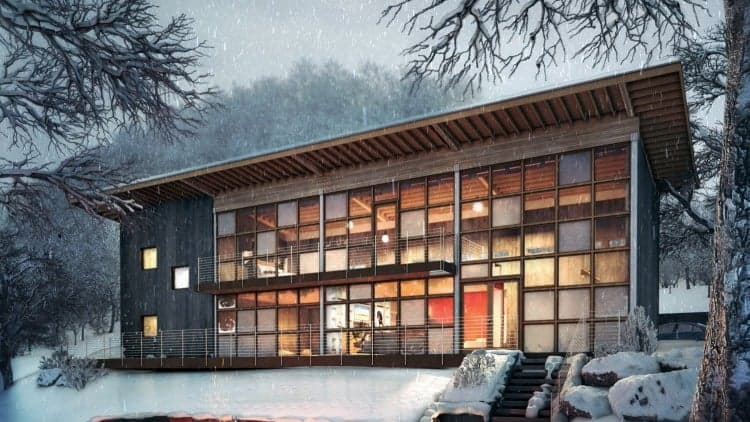
Price
No active coupon right now
View Course →No coupon right now. We'll tell you when there is one.
Mark your own learning status. Opening a course link does not establish enrollment.
Loading saved status…
This 3ds Max and V-Ray course is built as a 6 hour introduction to archviz. The main project walks through the workflow professional studios use, from building a scene to producing a polished render.
Because the core project is a single finished scene, you can judge your progress against a clear end point. The extra material extends that same workflow rather than introducing a new one.
Project files, models, textures and UI templates are included, so you can follow along step by step. It suits beginners, architecture students and SketchUp users moving to a more professional renderer.
Learn architectural visualization in 3ds Max and V-Ray the way professionals actually do it—efficiently, cleanly, and without wasting time. This best-selling course gets you up and running fast, teaching you how to build real archviz projects using the exact tools, techniques, and workflows used in top studios. In just 6 hours, you'll go from beginner to confident 3D artist, ready to create stunning, portfolio-worthy renders.
But that’s just the beginning—once you've learned the essentials, you can dive deeper with over 23 hours of total training, including advanced projects, animation workflows, and professional rendering techniques. Whether you're brand new to 3D or looking to sharpen your skills, this course grows with you every step of the way.
Recent Course Updates
New Chaos Vantage section! Quickly animate your scenes with real-time rendering and simple, cinematic camera control.
V-Ray Cosmos & Asset Library tutorials added
Full project rebuild with downloadable assets, higher-quality videos, and updated workflows
What You’ll Learn
Build photoreal architectural scenes from scratch
Use pro lighting, materials, rendering, and post-production workflows
Customize 3ds Max like a studio artist—with my UI and shortcut files included
Animate your scenes in Chaos Vantage and enhance with Photoshop
Perfect For:
Beginners who want a fast, guided path to learning archviz
Architecture students overwhelmed by software complexity
SketchUp users ready to upgrade to professional rendering tools
Practicing professionals who want faster, better results
What’s Included
Full start-to-finish project using 3ds Max + V-Ray
Additional advanced projects (interior & exterior)
Chaos Vantage real-time rendering walkthrough
Project files, models, textures, and UI templates
Ongoing support—get your questions answered directly by me
Start Building Now
All you need is 6 hours to change how you work in 3D forever.
Come with nothing—leave with a finished project, a professional workflow, and the confidence to create your own portfolio-worthy renders.
Advertisement
Tracking since 15 Nov — not enough history yet to tell you whether today's price is any good. Watch the course and we'll tell you when it drops.
This is what we recorded in US pricing — not every price this course has ever had, and prices differ by country.
No Korshub reviews yet.
Cinematic Lighting in Maya: Advanced Scenes & Projects
Cinematic Lighting in Maya: Interior & Character Lighting
Cinematic Lighting in Maya: Fundamentals & Scene Setup