Udemy
Price
No active coupon right now
View Course →No coupon right now. We'll tell you when there is one.
Mark your own learning status. Opening a course link does not establish enrollment.
Loading saved status…
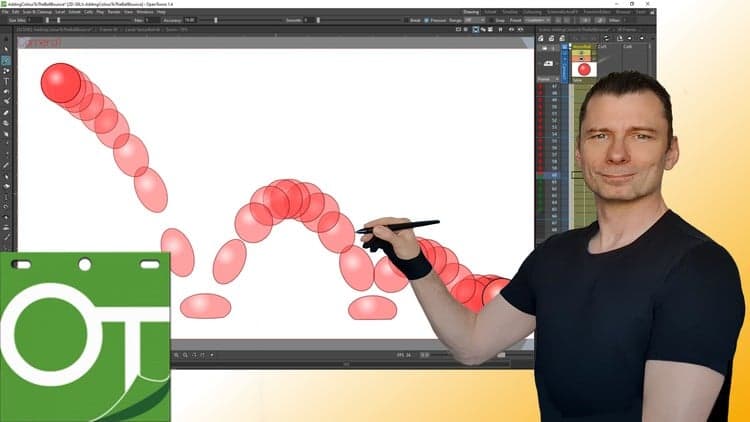
This course walks through two animation programs, OpenToonz and Tahoma2D, from installation and setup to rendering a finished animation. It covers projects and scenes, the difference between drawings, frames, levels and columns, the viewer, the timeline and xsheet, drawing tools, colour and gradients, and the camera.
It suits people who want to learn traditional-style 2D animation in these programs, whether they are starting out or already using one and want more workflow detail. Learners also get grounding in the 12 principles of animation through straight-ahead and pose-to-pose exercises.
Do you have a yearning to animate digitally and didn't know where to start or didn't want to spend money on animation programs before you knew if you liked them. Or perhaps you're already paying for animation software and want to try something cheaper or even free! Or perhaps you've already started using OpenToonz or Tahoma2D, but want to know more.
This is why I've made this course. I believe that anyone can learn to animate and enjoy the satisfaction of bringing their characters to life. And with these great programs, you can animate for FREE and this course will show you how.
In this course, I'll take you from the very beginning, with downloading, installing, setting up and understanding both programs. I'll show you all of the tools that you'll need for traditional-style animation. Leading up to showing you how to create your own animations. And you'll be animating within the first 15 minutes of starting the course!
The course will also show you how you can replicate some of the traditional techniques, found in the 12 principles of animation, of straight ahead animation and pose to pose animation, using tried and tested exercises that we'll work through together.
With almost 11 hours of video & 130 lessons and demonstrations, exercises & downloads for each project that I work on, this is the complete guide to getting started with traditional animation with OpenToonz & Tahoma2D.
Here are the topics covered in the course
Installing, setup & walk through of the layout
Understanding projects and scenes
Understanding the differences between drawings, frames, levels & columns
A detailed look at the viewer (the drawing area)
A detailed look as the timeline & xsheet (learning all of its features and how to time out your animation)
A look over all of the drawing tools, understand each feature of them
A look at working with colour, including using gradients & special fills
Using the camera. Placing it, moving it & what the settings mean
Preview & rendering your animation, to different formats
A complete demo looking over my shoulder as I work through an animation exercise in full
What are Students Saying about the Course?
"This is one of the best video tutorials I have ever used. Thorough, perfectly paced, and enjoyable.",
Jonathan L ★★★★★
"A very comprehensive guide on OpenToonz. It gives detailed instructions on the various mechanics of the software and explains concepts thoroughly. The most valuable thing about this course to me is the setup of the environment for 2D animation. This is rarely talked about in any user-created tutorials on the web/YouTube. OpenToonz is free and powerful, but only with the right knowledge can you use it's full potential. This course definitely facilitates this.",
Jonathan T ★★★★★
"Section 1 and 2 have been the simplest and quickest way for me to begin animating in OpenToonz without getting bogged down in the complexity of the program.",
John M ★★★★★
"Awesome job. Your pace of presentation is spot on!",
John T ★★★★★
"Clear, well paced and beautifully organized! Such positive and precise teaching. I am very excited about completing the course!",
Mira ★★★★★
"This course far exceeded my expectations. Also the supplemental support through the DarrenT discord server (which is very active) is a really enjoyable community to assist in my animation learning and development. I'm about 2/3 through the course so far and I've already made my own animated videos that met my modest animation goals prior to joining this course. If you're interested in learning animation, this is a wonderful place to begin your journey, you will be able to bring your art to life very quickly. Whether you plan on animating your own cartoon or show, making animations on top of camera footage, or even making animated memes and gifs, this course will have you producing media even before you finish the course! 10/10 would recommend.",
Piers D ★★★★★
Advertisement
Tracking since 15 Nov — not enough history yet to tell you whether today's price is any good. Watch the course and we'll tell you when it drops.
This is what we recorded in US pricing — not every price this course has ever had, and prices differ by country.
No Korshub reviews yet.