Skillshare
SubscriptionBeginner's Guide to Adobe After Effects: Learn Motion Graphics
Course3.5
Skillshare membership
View course →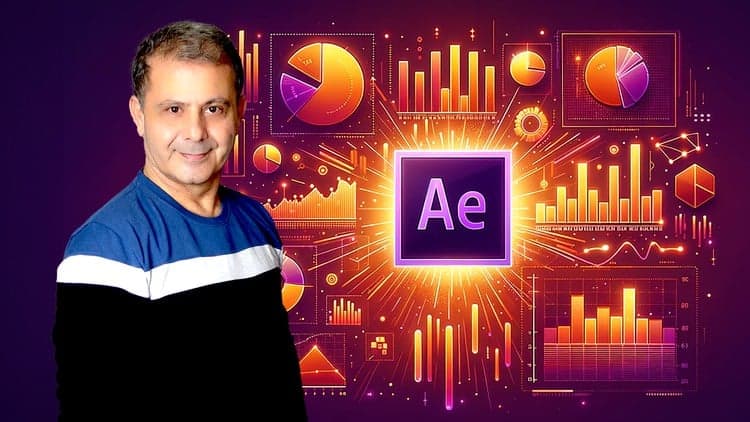
Price
No active coupon right now
View Course →No coupon right now. We'll tell you when there is one.
Mark your own learning status. Opening a course link does not establish enrollment.
Loading saved status…
Many infographic lessons stop at a static chart. This course builds each graphic so it is driven by expressions, with the controls exposed so the data can change without rebuilding the project. That makes it as much a lesson in animation logic as in chart design.
The lessons show how to turn each graphic into a control template so new numbers can be dropped in across different projects. A battery charger simulation driven by Microsoft Excel data shows the workflow on a real dataset.
The course describes itself as open to novices, though expressions add a learning curve on top of the software. The project files give a way to check your work against the finished setup.
From the Author of the Best Selling Highest Rated After Effects CC Complete Course.
Now you get: After Effects CC: Data Visualisation & Animated Infographics
This is a unique course on Udemy and the only course where you will learn how to work with Expressions while building animated infographics projects.
It's not about showing how to use an expression. It's about building full infographics projects driven by expressions with all the necessary controls.
Together we will create:
Graphic Percent Infographics with Graphics and Icons
Staked Graphics Percent Infographics
Battery Charger Simulation - with Microsoft Excel data
Motion Graphics Bar Graphs and Data Visualization
Animated Radials Infographics
Animated Circular and Pie segments Infographics
Cascading Radial Segments
Line Graph Infographics
Negative - Positive Infographics
Area Graph Infographics
Scale Pie Segments
How to create fully controlled Linear Axis
How to create Radial Axis will all the controls
You will also learn:
How to use expressions for complete project animation. The very proper way.
How to use expression controls effects to create complex animations with variable data.
How to create control templates for all the infographics. Changing data the fit all your projects.
You will learn the ins and out to creating infographics. You will also go through major infographics graphs styles that will build your skills to create any animated infographics.
This is a project-based course where you will have all the project files to practice and review.
If you are a novice user of After Effects, this course is your opportunity to understand and practice creating Infographics while building useful and practical animations.
Louay
Cheers
Advertisement
Tracking since 15 Nov — not enough history yet to tell you whether today's price is any good. Watch the course and we'll tell you when it drops.
This is what we recorded in US pricing — not every price this course has ever had, and prices differ by country.
No Korshub reviews yet.
Beginner's Guide to Adobe After Effects: Learn Motion Graphics
Adobe After Effects for Beginners: Motion Design Essentials


Motion Graphics Masterclass (8 Hours) – Complete After Effects Training for Beginners to Pros