Udemy
-85% Udemy
UdemyDeal Price
Codes run out fast. We'll tell you if this one's gone and a new one lands.
Mark your own learning status. Opening a course link does not establish enrollment.
Taught by a professional motion graphics artist and video creator, this Udemy course positions After Effects as the tool professionals reach for across an enormous range of work — business and marketing videos, music videos, documentaries, and feature films. It's built to be hands-on from the start, with practice files so you're actually building projects rather than passively watching screen recordings.
Marketed for all levels, it works whether you're brand new to After Effects or coming from an older version like CS6 or CS5 — the instructor notes the course still applies even if you're not on the latest Creative Cloud release. By the finish, the aim is dozens of completed real-world projects, so you build confidence through repetition rather than a single big final project.
Motion graphics and VFX skills are genuinely versatile across video, marketing, and film work, and learning from someone who does this professionally day to day adds practical credibility beyond the tutorial format. If your videos need more visual polish, this is a thorough, project-based way to get there via Korshub.
Master After Effects Motion Graphics with the easiest-to-follow course on Udemy!
"I went into this not knowing basically anything and came away with tons of knowledge!"
- Louis Matarazzo, Phil's After Effects student
Join this Adobe After Effects CC course to have fun while learning quickly!
If you are looking to make your videos better, adding motion graphics and visual effects is the way to do that. After Effects CC is used by professionals across the world for every type of production from business & marketing videos, music videos to documentaries, feature films. This full course is the best way to jump right in and start making your own videos come to life.
Make videos the way you imagine them!
Practice while you learn. This course includes practice files so you can follow along and actually learn by doing.
By the end of the course, you'll have finished dozens of real world projects to build your confidence.
I'll be teaching the course using the Creative Cloud version, but if you have a previous version (CS6, CS5, etc - Mac or PC), you can still learn with this course.
What makes me qualified to teach you?
My name is Phil and I'm a professional motion graphics artist and video creator.
Phil Ebiner's "The Complete Guide to After Effects," is a wonderful and comprehensive course to dive into this Program, and get started with creating our own animations.
- Cavett Robert
Very comprehensive, easy to follow course.
- Dragan Vukicevic
Phil is a g a great instructor who is always willing to help. The way he lays out the course is simple and easy to understand.
-Patrick Gilmour
My Promise to You
I'll be here for you every step of the way. If you have any questions about the course content or anything related to this topic, you can always post a question in the course or send me a direct message.
I want to make this the best course on how use Adobe After Effects. So if there is any way I can improve this course, just tell me and I'll make it happen.
What's this course all about?
Get ready to create motion graphics that will improve your video quality. If you've always wanted to learn how to use video effects and create custom motion graphics, you can learn After Effects CC right now.
Practice lessons will get you motivated and moving to your goals.
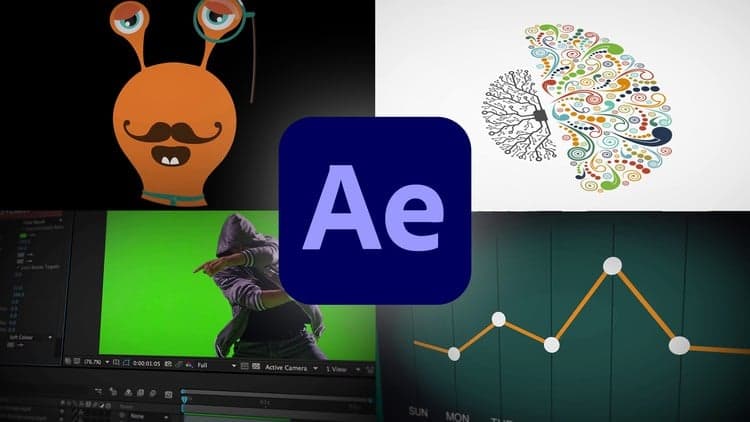
The lessons are meant to teach you how to think like a motion graphics/video effects artist. After Effects is a robust tool that is capable of creating almost any video effect out there. You'll learn all of the basics, intermediate, and some advanced techniques, from working with shapes, text, and textures to video effects, transitions, and 3d camera.
Here is a glimpse of what we'll be covering:
Getting comfortable with After Effects CC
Starting a new composition
Using the basic tools
Working in the After Effects CC timeline
Adding shape and text layers
Animating position, scale, rotation, and opacity
Working with shape layers and masks
Real world projects such as lower thirds and bumpers
Motion graphics principles and best practices
Using video effects and presets to speed up workflow
Green screen and chromakey removal
Visual effects and rotoscoping
Motion tracking and video stabilization
Creating unique transitions
Exporting your projects
and so much more!
Knowing After Effects CC is a great skill to have that is in demand and highly marketable. I've landed many jobs with the skills that I teach you in this course.
With our 30-day 100% money back guarantee, there is nothing holding you back from jumping in right now and trying the course out.
Go ahead and click the enroll button, and I'll see you in lesson 1!
Cheers,
Phil
Advertisement
Not the best price we've seen. The lowest we've recorded is $12.99 on 17 Aug.
This is what we recorded in US pricing — not every price this course has ever had, and prices differ by country.
Complete Adobe After Effects Megacourse: Beginner to Expert
After Effects CC: The Ultimate Motion Graphics Masterclass
Adobe After Effects CC Bootcamp: Beginner to Advanced
Create Motion Graphics Templates With Adobe After Effects