
Udemy
 Udemy
UdemyPrice
No active coupon right now
View Course →No coupon right now. We'll tell you when there is one.
Mark your own learning status. Opening a course link does not establish enrollment.
A hands-on guide to creating cinematic video with AI, using Google's newest tools Veo 3.1 and OMNI. The course teaches you to work in Flow, Google's AI video suite: generate scenes from text prompts, refine clips with OMNI's editing capabilities, add consistent characters with assigned voices, layer in realistic sound effects and music, and export polished video for any platform. You'll learn the creative levers that matter—smart camera movement, lifelike character expressions, audio that matches your visuals. The course is built for creators of any background: no video or AI experience needed. Each lesson includes worked examples and live walkthroughs so you can follow along. Whether you're building content for YouTube, social platforms, or client work, Veo and OMNI compress what once took days into hours.
Master AI Video Creation with Google Veo 3.1 & OMNI: Create Stunning Videos Using the Power of AI
Want to create professional-quality videos in just seconds?
Google Veo 3.1 and OMNI Flash are the newest and most advanced AI video creation tool—and this course shows you exactly how to use it.
Whether you’re a content creator, marketer, filmmaker, or total beginner, this course will teach you how to bring your ideas to life using AI-generated video.
What You’ll Learn in This Google Veo 3.1 & OMNI AI Video Course:
Master Google Veo’s Interface in Flow
Learn how to navigate the Flow platform and unlock its most powerful features using Veo 3.1 and OMNI
Create Videos from Prompts
Use text-to-video and frames-to-video prompting to generate cinematic scenes from scratch.
Amazing Voices, lip sync and background noises
Veo 3.1 & OMNI allows you to create amazing lifelike video with perfect lip-syncing and voices (and now with Character assign a consistent voice), background sounds and music all inside one tool with one text prompt!
Scenes
Build out whole scenes inside Flow with Veo 3.1 or OMNI, now using OMNI to edit or alter your video clips in any way you want
Ingredients to Video
Add a specific product or object into your videos effortlessly by uploading and image of your "ingredients" and having Veo create a video including them all.
Export and Share Anywhere
Get your video ready for YouTube, social media, or client presentations with pro-quality exports.
Why Google Veo 3.1 and OMNI?
Google Veo & OMNI combines the power of cutting-edge AI with the ease of use creators need - now even easier with OMNI. It’s designed to go beyond simple video generation, giving you more creative control and better results.
Here’s why creators are switching to Veo:
Text-to-video that looks cinematic
Smart camera movement for realistic movement and framing
Lifelike character movement and expressions (industry leading!)
AI audio that matches your visuals perfectly (sound effects and music)
Easy to use for beginners, powerful for pros
Veo 3.1 and OMNI is ideal for video creators, educators, marketers, writers, and anyone looking to tell stories visually—faster than ever before.
Course Highlights
Step-by-step walkthroughs of Google Veo and OMNI's features
Real examples of text and image prompting
Live demo: creating a full short video's from scratch - follow along!
Broken down into VEO and OMNI lectures to work through the entire Google AI Video suite of tools
Meet Your Instructors
Dan is an AI festival-winning creator and AI storyteller who’s mastered tools like Runway, Seedance, Midjourney and now Google Veo 3.1 and OMNI. He’ll guide you with clear, actionable lessons so you can start creating right away.
Phil Ebiner is an award-winning educator with over 2 million students. He brings decades of content creation and course-building experience, helping you get results quickly.
What You’ll Need:
A computer with internet access
A Google Plan (we’ll show you how to sign up)
No prior video or AI experience—just your creativity!
Ready to Create with AI?
Google Veo 3.1 and ONMI is the future of video creation—and now’s the perfect time to get ahead.
Let’s bring your imagination to life.
Dan & Phil
Advertisement

Hyper-Realistic AI Video Creation with Google Veo3 & Prompts



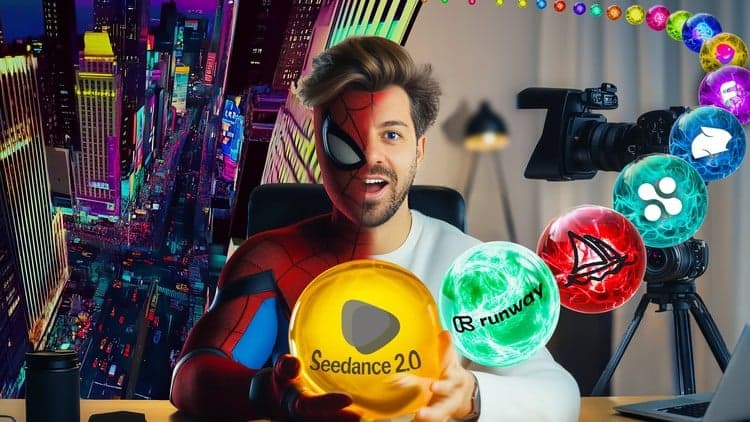
AI Video School Complete Beginner to Pro: Veo Kling Seedance

Not the best price we've seen. The lowest we've recorded is $9.99 on 18 Aug.
This is what we recorded in US pricing — not every price this course has ever had, and prices differ by country.