Coursera
SubscriptionSketchUp Fundamentals for Interior Space Planning
CourseNo ratings yet783BEGINNER
Coursera Plus
View course →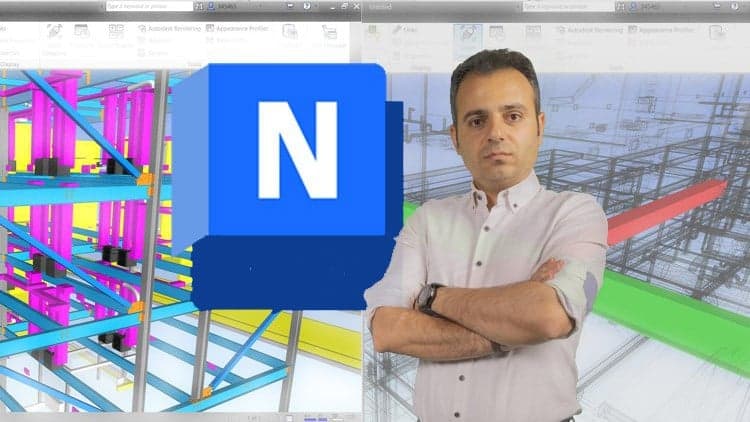
Price
No active coupon right now
View Course →No coupon right now. We'll tell you when there is one.
Mark your own learning status. Opening a course link does not establish enrollment.
Loading saved status…
This course treats Navisworks as a coordination tool for multi-discipline models. Architecture, structural and MEP models are combined, and the work centres on finding and resolving conflicts rather than memorising menus.
Clash tests are built from rules, then their results are reported in a form a team can act on. Viewpoints, markups and animation give the same findings a visual form for review meetings, so a clash can be explained to people who never open the model.
The later section adds time to the model through Timeliner, with 4D parameters and schedule links to Microsoft Project. It also moves back and forth with Revit, which matters when a clash has to be fixed at the source rather than only flagged.
Note: This is not a “click-by-click Navisworks Course.” It is a Project-Based BIM Coordination course where you practice Clash Detection, Rules/Report workflows, and 4D Timeliner Simulation on multi-discipline models (Architecture, Structure, MEP), with RVT Files Included for hands-on learning.
Are you using Navisworks but still unsure how to run Clash Detective tests in a repeatable, professional workflow for real projects?
Do you want to coordinate Architecture, Structure, and MEP by creating clear results with Rules Tab and sharing them through Report Tab for collaboration?
Do you need to build reliable 4D Simulation in Navisworks Manage—including 4D Parameters, Configure & Simulate Tabs, and schedule linking with Microsoft Project (MSP)?
In this course, you will learn how to use Autodesk Navisworks Manage 2026 for BIM Coordination—from model review and viewpoints, to clash detection between disciplines, reporting for coordination, and 4D scheduling with Timeliner. You will also use communication tools like Redline and Dimension for clear coordination feedback, and create professional Animation outputs for project presentations. Wherever needed, you will connect workflows In Navisworks with Revit and MSP for practical project coordination.
Headlines:
BIM Coordination In Navisworks Manage - Professional Skills For Real Projects
Clash Detective In Navisworks Manage - Complete Clash Detection For Large-Scale Models
Rules Tab In Navisworks - Accurate Rules-Based Clash Tests And Setup
Report Tab In Navisworks - Practical Reporting For Analysis And Collaboration
Discipline Coordination In Navisworks - Architecture, Structure & MEP Model Combination
Viewpoint Tools In Navisworks 2026 - High-Detail Review And Coordination Views
View Tools In Navisworks - Complete Model Navigation And Visual Control
Selection Resolution States In Navisworks - Expert Selection And Model Management
Item Tools In Navisworks - Practical Item Control And Switch Back To Revit Workflow
Animation In Navisworks Manage - Professional Project Presentations And Visual Stories
Object Animation In Navisworks - Accurate Object Movement For Real Scenarios
Redline Tools In Navisworks 2026 - Clear Markups For Coordination Communication
4D Simulation In Navisworks Manage - Complete Timeliner Workflow And Scheduling
MSP Linking In Navisworks 2026 - Reliable Microsoft Project Integration + Configure & Simulate Tabs
Enroll now and start building real BIM Coordination skills with Navisworks Manage using the included practice models and RVT files. If you have any questions while watching the course, ask me anytime—24-Hour Responses are available to help you progress faster and more confidently.
Advertisement
Tracking since 15 Nov — not enough history yet to tell you whether today's price is any good. Watch the course and we'll tell you when it drops.
This is what we recorded in US pricing — not every price this course has ever had, and prices differ by country.
No Korshub reviews yet.
SketchUp Fundamentals for Interior Space Planning