Coursera
SubscriptionSketchUp Fundamentals for Interior Space Planning
CourseNo ratings yet783BEGINNER
Coursera Plus
View course →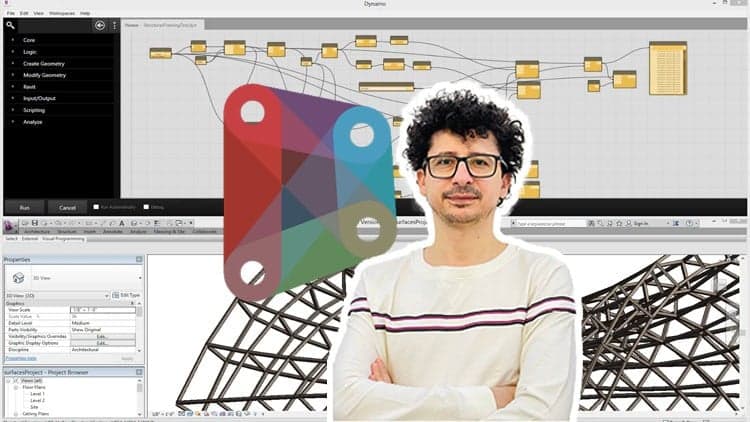 Udemy
Price
No active coupon right now
View Course →No coupon right now. We'll tell you when there is one.
Mark your own learning status. Opening a course link does not establish enrollment.
Loading saved status…
This is an entry course for BIM modellers and designers who want to automate repetitive work with visual programming. No node-based experience is assumed, so the early lessons focus on the interface and the kinds of data that flow between nodes.
Once the basics of data are clear, the course turns to building and changing geometry, which is where Dynamo starts to pay off in a design workflow. Lists and loops then let a single definition act on many elements at once, a shift that matters most on large models.
The lessons are project based, so the practice stays close to the kind of modelling tasks a BIM team handles day to day.
Note: The main difference in this course compared to others is that we have not confined ourselves to explaining simple techniques. Instead, we have conveyed the subject through challenging projects and specific tricks, which are the result of numerous experiences.
Curious about visual programming and its impact on design?
Want to take your design and engineering skills to new heights?
Are you tired of repetitive tasks holding back your creative design process?
Dynamo stands out as an immensely potent visual programming platform, a tool that not only empowers its users to automate intricate tasks but also allows them to craft customized workflows that can significantly enhance their design capabilities. In the realm of design, engineering, and architecture.
This comprehensive course has been meticulously crafted to serve as your guide on an enlightening journey through the fundamental principles of Dynamo. Through a meticulously structured curriculum, you'll embark on a step-by-step exploration of Dynamo's features, gradually unraveling its intricacies.
Headlines:
Introduction to Dynamo and its Interface
Data Types and Data Structures in Dynamo
Creating and Modifying Geometry in Dynamo
Essential Nodes in Dynamo
Working with Lists and Loops
Using Conditional Statements and Boolean Logic
Working with Text and Strings in Dynamo
Importing and Exporting Data in Dynamo
Collaborating and Sharing Workflows in Dynamo
Creating Custom Nodes in Dynamo
If you are currently a BIM modeler or planning to become one, it is essential not to limit yourself to any form. You should be able to manage any architectural design in the BIM process And in the end, you will be an expert BIM Modeler. Please watch this course and feel free to ask me any questions you have while watching it.
Advertisement
Tracking since 15 Nov — not enough history yet to tell you whether today's price is any good. Watch the course and we'll tell you when it drops.
This is what we recorded in US pricing — not every price this course has ever had, and prices differ by country.
No Korshub reviews yet.
SketchUp Fundamentals for Interior Space Planning