YouTube
Free YouTube
Price
This course is free to watch on its platform.
Watch free on YouTube →Mark your own learning status. Opening a course link does not establish enrollment.
Loading saved status…
This Hindi course is presented as one video of 7 hours 40 minutes, with every CorelDRAW tool explained in detail. It pairs the tools with graphic design basics, DTP work and printing, so the lessons focus on producing real print material as well as learning the software.
Learners aiming at graphic design, DTP or print work will find the topic list directly relevant. The chapter timestamps are the best way to plan which sections to watch and in what order.
CorelDRAW tutorial full course for beginners to advanced level.
Learn CorelDRAW graphic design, DTP work and printing design step by step in a single video.
If you want to make a career in graphic designing, DTP work and printing work, this CorelDRAW full course is a great opportunity for you.
I have designed a master CorelDRAW course in a single video (7 hours 40 minutes), where every CorelDRAW tool is explained in detail from zero to advanced level.
This CorelDRAW tutorial covers:
• Graphic designing basics
• DTP & printing work
• Visiting card, poster, banner design
• Color theory & layout
• Practical CorelDRAW tools usage
All topics are divided chapter-wise, and complete timestamps are given below in the description box.
I have worked very hard on this CorelDRAW course, so I request you not to download this video. Please watch it online and support the channel by subscribing.
अगर आप ग्राफिक डिजाइनिंग, डीटीपी वर्क और प्रिंटिंग वर्क में अपना करियर बनाना चाहते हैं तो यह CorelDRAW फुल कोर्स आपके लिए बहुत ही फायदेमंद है।
इस वीडियो में CorelDRAW को जीरो से लेकर एडवांस लेवल तक बहुत ही आसान तरीके से समझाया गया है। हर टूल को डिटेल में समझाया गया है और सभी टॉपिक्स चैप्टर वाइज डिवाइड किए गए हैं।
इस वीडियो में मैंने बहुत मेहनत की है, इसलिए आपसे निवेदन है कि इसे डाउनलोड न करें और ऑनलाइन ही देखें। मेरे चैनल को सब्सक्राइब जरूर करें।
Subscribe here: https://www.youtube.com/@hindgraphics
The Topics I have covered
00:00:00 Introduction of Graphic Designing
00:02:00 Creating New Document
00:06:30 Introduction of Coreldraw Interface
00:14:12 Property Bar
00:20:23 Saving File
00:23:26 Movement of Whole Page
00:24:38 Zooming Page Option
00:27:15 Duplicate Object
00:28:08 Repeat Action
00:35:37 Group Objects
00:39:14 Break Apart Objects
00:43:04 About Circle Tool Property
00:52:05 Combine 2 Objects
00:53:46 Outline Property
01:02:11 Shaping Options
01:23:30 Transformation Option
01:38:21 Alignment
01:48:42 Use of Drawing Tool
01:55:49 Logo Design by Virtual Segment Delete & Smart Fill Tool
02:03:39 Shape Tool
02:06:14 Artistic Media Tool
02:13:38 Live Sketch Tool
02:14:01 Smart Drawing Tool
02:14:43 3-Point Rectangle Tool
02:15:07 Polygon Tool
02:17:23 Corner Smoothness Option
02:20:37 Spiral Tool
02:21:52 Logo Design by Impact Tool
02:35:30 Graph Paper Tool
02:43:30 Text Tool (Artistic Text)
02:48:28 Text Alignment (Artistic Text)
02:50:16 Logo Design by Fit Text to path
02:54:56 Character Map or Glyphs
02:58:24 Typography
03:05:24 Paragraph Text
03:14:59 Tab Setting
03:25:31 Text Wrap
03:28:26 Book Work
03:32:13 Table Text with example (Bill Book composing)
03:46:41 Colour
03:47:36 What are RGB & CMYK Colours
03:49:53 Difference between RGB & CMYK
03:55:26 How to make colours
03:58:42 Pattern Fill Colour
04:01:05 Bitmap Fill Colour
04:08:59 Gradient Colour
04:24:09 Pencil Design using Gradient Colour
04:35:27 Dimension Tool
04:43:56 Effect Tools
04:44:33 Use of Shadow Tool
04:58:41 Use of Contour Tool
05:06:14 Use of Blend Tool
05:09:34 Text Effect using Blend Tool
05:12:36 Background design using Blend tool
05:18:53 Wreath Logo (Leaf Logo)
05:30:39 Use of Distort Tool
05:39:00 Border Design Using Distort Tool
05:41:40 Logo Design using Distort Tool
05:48:21 Use of Envelope Tool
05:59:07 Typography mockup apply on book
06:01:13 Image Mockup apply on book
06:02:14 Use of Extrude Tool
06:06:42 3D Logo Using Extrude Tool
06:12:20 Ribbon Design Using Extrude Tool
06:16:35 3D Arrow Design using Extrude Tool
06:19:07 Block Shadow
06:24:21 Transparency All options
06:35:29 Making Creative Background using Mesh Fill Tool
06:38:16 Making Creative Banner Design
06:51:10 Visiting Card Design
06:56:39 Exporting File (Making JPEG)
06:58:53 Colour Eye Droper & Attribute Eye Droper
07:06:52 Perspective Effect making mockup using Attribute Eye droper
07:10:11 Instagram Logo Using Mesh Fill Tool
07:14:08 Variable Outline Tool
07:17:59 Fit Object to Path
07:21:03 Symmetry Tool
07:25:27 Pointillizer effect making halftone
07:29:58 Lens Effect (making Globe or ball)
07:33:22 Text Effect Using Halftone
07:34:44 Bitmap Tracing
07:37:18 Special Effect on gradient or bitmap
Don't forget to join my online classes.
Contact : https://wa.me/918459661183
Join Telegram : https://t.me/hindgraphic
#CorelDRAW #CorelDRAWTutorial #GraphicDesign #DTPCourse #PrintingDesign
Advertisement
Coreldraw Complete Course Tutorial (Basic to Advance) in Hindi
CorelDRAW Tutorial - CorelDRAW Complete Course For Beginners to Advance | Enjoy the Premium CorelDRAW Course
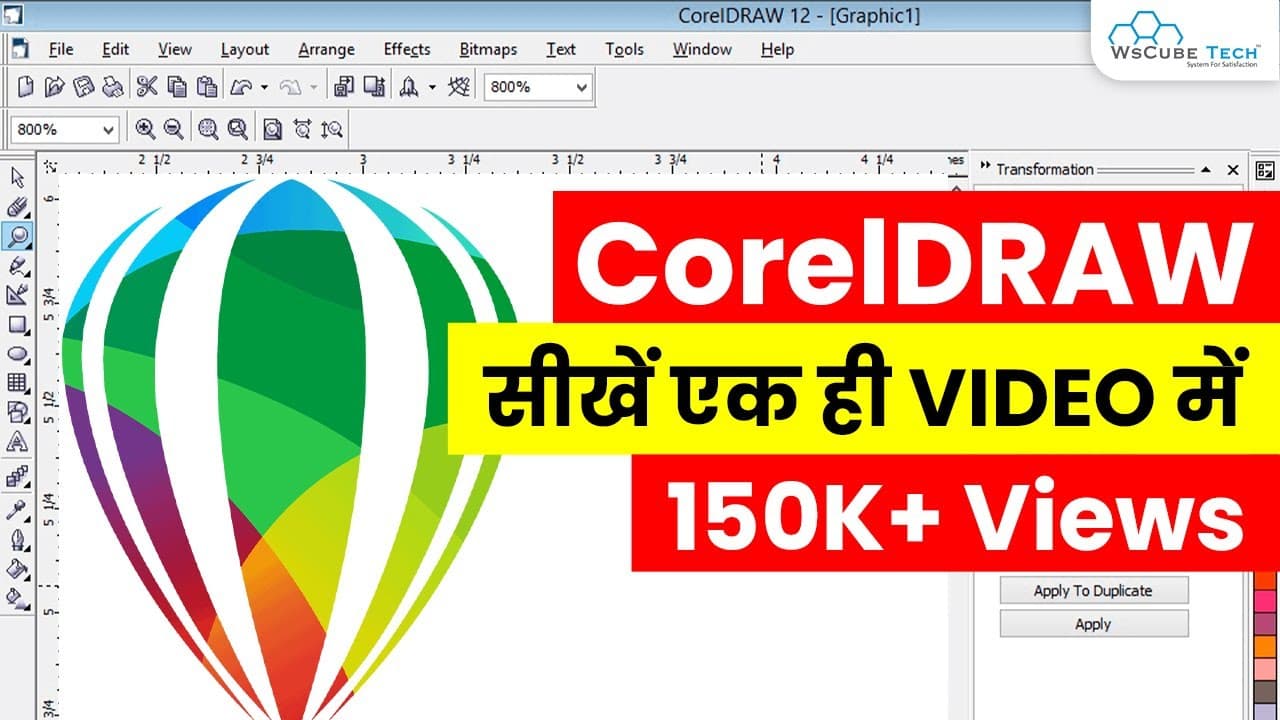
CorelDRAW Full Course - Learn CorelDRAW in 10 Hours | CorelDRAW Tutorial for Beginner
CorelDRAW Full Course for Graphic Designers | Learn Graphic Designing in CorelDRAW
CorelDRAW Full Tutorial Series (Basic to Advance) in Hindi | CorelDraw Complete Course For Beginners to Advance
No Korshub reviews yet.