
Udemy
 Udemy
UdemyPrice
No active coupon right now
View Course →No coupon right now. We'll tell you when there is one.
Mark your own learning status. Opening a course link does not establish enrollment.
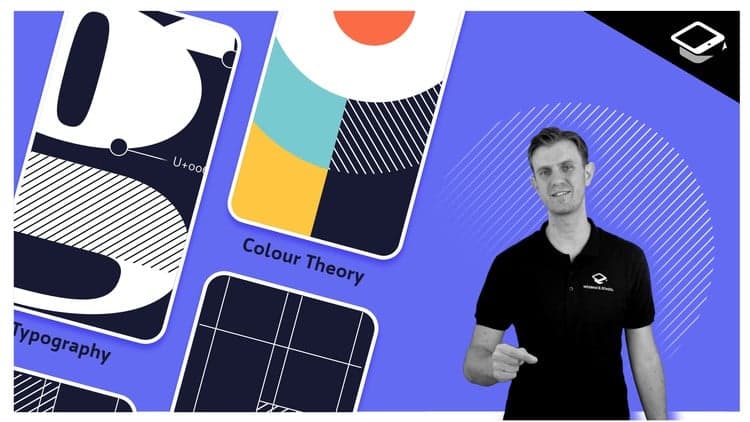
Visual design principles have guided graphic design for centuries—and they're as relevant to digital interfaces as they ever were. This course taps that timeless foundation, teaching hierarchy, color, contrast, typography, and gestalt theory through practical application to screens and mobile devices where clarity matters most.
The aim isn't decoration—it's communication. Every intentional choice you make helps users understand what they're seeing, where to start, and how to act. Across 50 focused lessons, you'll develop the critical thinking to solve even complex visual problems, building interfaces that remain useful long after trends fade. You'll learn to move users toward their goals through design, not despite it.
The principles, practices and real-world techniques I'm going to show you here are the same ones that have informed graphic design for hundreds of years. And while that may sound like blasphemy to some of you, I guarantee you'll see why and how they apply equally to the world of digital design — especially for mobile devices and their small screens.
I'm going to give you 50 lessons across 5 hours, packed with timeless, ironclad, unchanging rules for good UI design that you can apply to anything and everything you ever work on. You’ll learn how to create and apply hierarchy, color, contrast, typography, and gestalt principles to design appropriate visual cues for your users — and that's just for starters.
You'll learn how to make it easier for people to interact with what they see on the screen – whether they know what to tap, swipe or click, and whether what happens meets their expectations and moves them closer to their goals. You'll learn how to create and apply hierarchy, color, contrast, typography and gestalt principles to design appropriate visual cues so people know where and how to take action.
I'll show you how to make good visual decisions for even the most challenging applications, from simplifying complex visual information to designing with data. My goal with this course is to give you everything you need to know to make great UI design decisions, no matter what the content, context or product may be.
Trends will come and go, and it won't matter: your UI will still be useful, usable, appropriate and relevant for its users. From this point forward, you'll be equipped to make strategic, impactful User Interface designs that communicate, guide, encourage, motivate and educate. Anything else is decoration, and decoration has a very short shelf life.
When it comes to User Interface (UI) design, your job — whether you're a designer, developer, UXer or a mix of all those things — is to make sure that no aspect of someone’s onscreen interaction happens without explicit intent. The UI design choices we make have to reflect the user’s motivations, expectations, environment and possible actions.
All of those things manifest themselves in the User Interface — so what people see on the screen is usually the sum of their understanding about what this is and how it works.
So what we show them has to do a hell of a job communicating what’s there for them, how it’s organized, how they get to it and what they can do with it once they do.
By the time you finish Design Rules, you'll be able to do much more than create a more beautiful User Interface. Instead, you'll be able to design a UI that truly works for the people who use it. One that it allows them to easily figure out where to start and how to get what they need — quickly, efficiently and intuitively.
Of course, it'll also just happen to be beautiful ;-)
Advertisement




UI Design with Photoshop from Beginner to Expert in 15 days

How To Design for Accessibility: for UX Designers (WCAG 2.2)
Not the best price we've seen. The lowest we've recorded is $15.99 on 17 Aug.
This is what we recorded in US pricing — not every price this course has ever had, and prices differ by country.