Coursera
SubscriptionDesigning and Prototyping Interfaces with Figma
CourseNo ratings yet142BEGINNER
Coursera Plus
View course →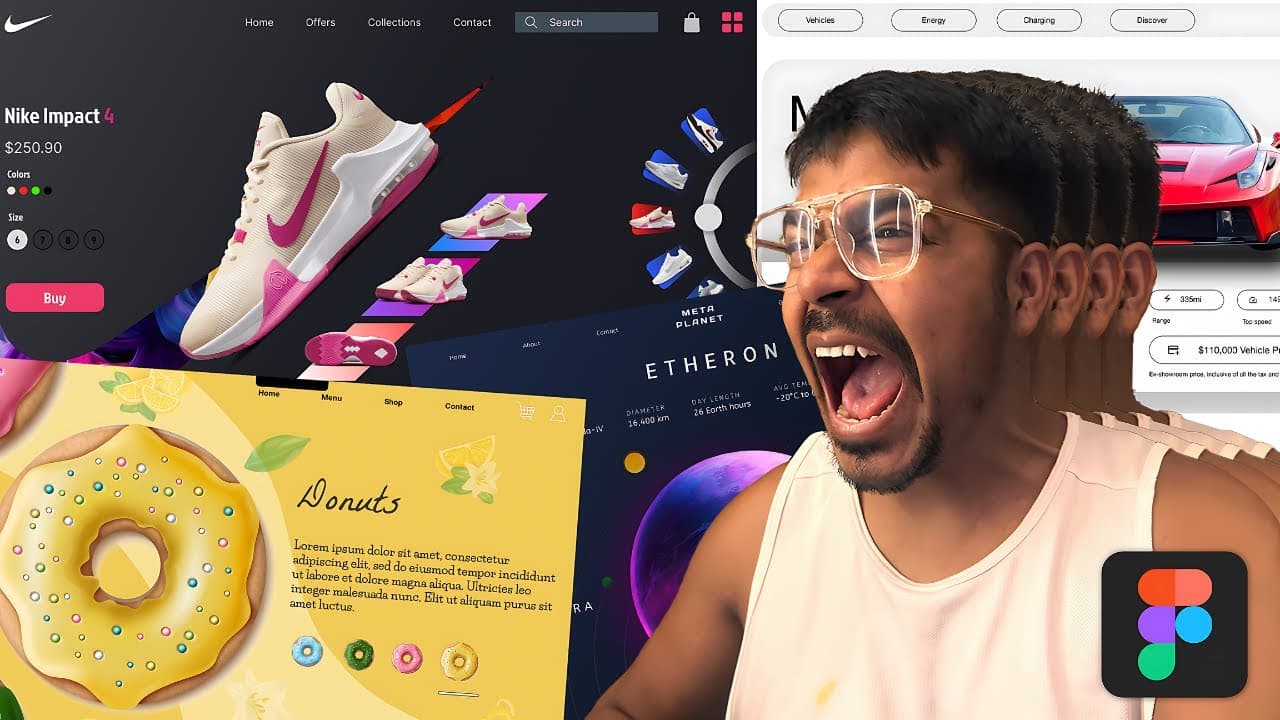 YouTube
Price
This course is free to watch on its platform.
Watch free on YouTube →Mark your own learning status. Opening a course link does not establish enrollment.
Loading saved status…
This YouTube course is designed to be followed along as you build. The description calls it a 7-hour course, and its chapter list ends at 06:16:28. The chapters move from the Figma interface and shortcuts through style guides, color palettes and components to a series of project builds.
Components, Auto Layout, constraints, layout grids, boolean operations, gradients and multi-dimensional components are all covered, along with simple 3D web elements. The chapter timestamps make it easy to skip to the project you need.
Description: Figma Full Course 2026 – Master Figma from Zero to Pro
Welcome to the most comprehensive Figma course on YouTube—a complete 7-hour version of my top-performing Udemy course, now free for my YouTube audience.
I’m Wish Naik, and in this course, I’ll take you from absolute beginner to a confident UI/UX designer, ready to build real-world projects and a strong design portfolio.
You’ll learn core Figma tools and advanced UI/UX concepts, including:
Figma interface, tools, and essential shortcuts
Professional style guides and color systems
Low-fidelity wireframes to high-fidelity prototypes
Components, Auto Layout, and Constraints
Real-world projects like travel websites, car dealership sites, and food delivery apps
Advanced techniques such as multi-dimensional components and 3D web elements
This is a design-along course, so you won’t just watch—you’ll actively build and improve your UI/UX skills throughout.
Course Chapters (Timestamps):
00:00:00 - Announcement
00:01:00 - Introduction
00:02:41 - Who is a designer?
00:13:09 - Figma Installation
00:16:02 - Exploring the Browser Page
00:21:43 - Figma Editor
00:24:17 - Move tools & Frames
00:30:05 - Shape Tool, Creation Tool & Text Tool
00:35:17 - Resource, Hand Tool, Comment
00:37:50 - Start of Section 02
00:39:30 - What to expect from section 02
00:41:36 - Color Palette
00:46:40 - Low Fidelity Wireframe
00:47:37 - Style Guide
00:54:41 - Creating a Component
01:04:38 - Boolean Operations
01:09:50 - Setting Constrains in FIgma
01:17:41 - Layer Panel
01:23:59 - Creating a Layout Grid in Figma
01:30:31 - Travel Website
02:15:36 - Car Dealership Website
02:25:41 - Creative Gradients
02:32:10 - Creating a Quick 3d Website
02:39:01 - Tomato Food Delivery App
03:56:19 - Donut app
04:19:14 - Nike Inspired App
05:05:54 - Image Slider Project
05:25:12 - Multi-Dimensional Components
05:34:59 - Rotating can Website
06:16:28 - End of Complete Course
Support the channel: If you found this course helpful, please Like, Subscribe, and hit the Notification Bell to support my work and get notified of future tutorials!
Connect with me -LinkedIn: https://www.linkedin.com/in/heyimwish/
Instagram: https://www.instagram.com/heyimwish/
Email: wishkaemail@gmail.com
Tech I Use Daily:
* MacBook Pro M4: https://amzn.to/44j3IMe
* LG 29’ Ultrawide Monitor: https://amzn.to/3XFZGdd
* Sony ZV1: https://amzn.to/3XFZQ4j
* Rode Podcaster Mic: https://amzn.to/4pscfFf
* Tripod Stand: https://amzn.to/4rN5cse
* Ring Light: https://amzn.to/44l15JU
* Razer BlackShark V2 X Headphone: https://amzn.to/4pXxXRc
* Logitech mx Master Keyboard: https://amzn.to/4aCoIRU
* Green Soul Chair: https://amzn.to/4iPBcI6
* Elgato Prompter: https://amzn.to/4iI8uZs
Three Books I Recommend Reading:
* Psychology of Money: https://amzn.to/4oJCPsh
* Atomic Habits: https://amzn.to/48RH5QB
* Ikigai: https://amzn.to/3Mtr9fL
Udemy Course -
Figma - http://bit.ly/4pebj6B
Davinci Resolve - https://bit.ly/davinciresolve50
#FigmaCourse #FigmaTutorial #UIDesign #UXDesign #Figma2025 #WebDesign #WishNaik #FreeCourse #Masterclass #FigmaFromZeroToPro
Advertisement
No Korshub reviews yet.
Designing and Prototyping Interfaces with Figma