Udemy
MERN Stack Front To Back: Full Stack React, Redux & Node.js
Course4.664kINTERMEDIATE
$99.99
Mark your own learning status. Opening a course link does not establish enrollment.
This isn't just feature-by-feature instruction—it's training in architectural thinking. You'll learn to structure a Django backend and React frontend for maintainability and scale, handle authentication via Keycloak, manage asynchronous work with Celery, and write tests that matter.
A standout section integrates AI-assisted development and prompt engineering so you can use modern tools effectively. The course covers real production concerns: environment management, Docker containerization, and error-handling patterns.
Best for: Developers who know Python or JavaScript and want to build with both, plus understand the decisions that shape production systems.
Prerequisite: Basic familiarity with Python or JavaScript.
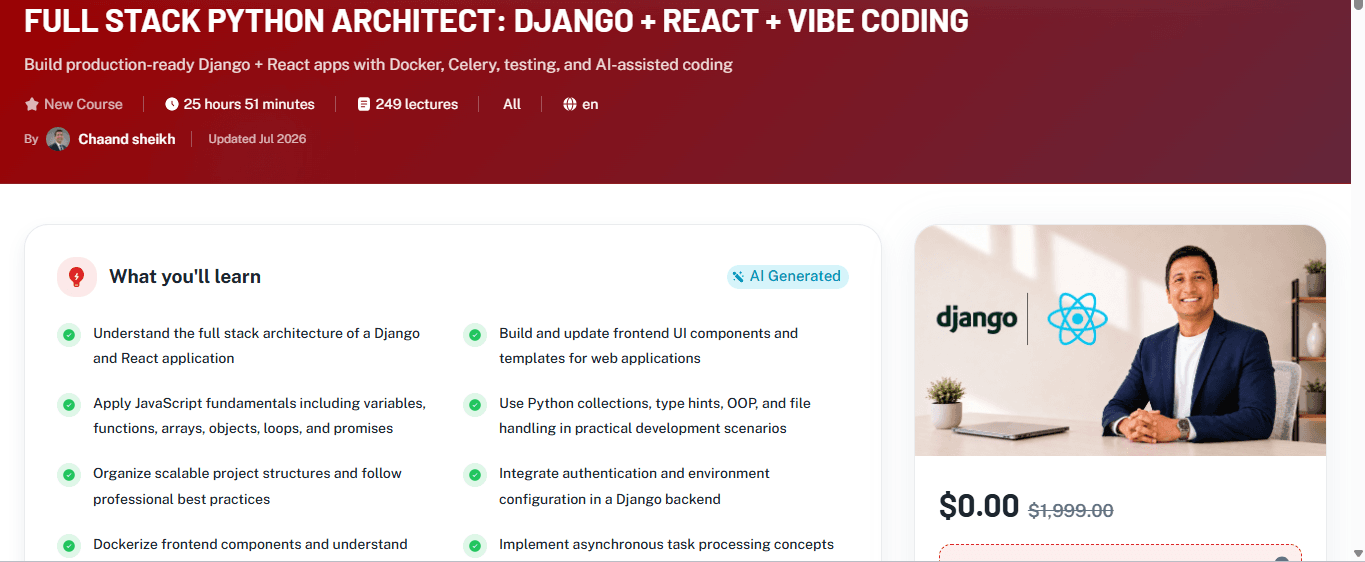
Full Stack Python Architect: Django + React + Vibe Coding is a practical, end-to-end course designed to help you build modern web applications with a strong architectural foundation. Whether you are just starting out or looking to strengthen your full stack workflow, this course blends Python, Django, React, JavaScript, Docker, Celery, testing, and AI-assisted coding into one structured learning path. You will not only learn how to build features, but also how to think like an architect by making better decisions about project structure, code organization, authentication, API design, and deployment readiness.
The course begins with core web fundamentals and frontend setup, including why JavaScript matters, how to add JavaScript to a webpage, folder structure, asset linking, browser inspection, and working with templates. From there, you move into essential JavaScript concepts such as variables, constants, datatypes, numbers, strings, arrays, comparisons, booleans, loops, object literals, functions, callback functions, and promises. These lessons give you the confidence to work effectively in a React-driven frontend while understanding the logic behind the scenes.
On the Python and Django side, you will explore practical development patterns such as collections, type hints, advanced file I/O, context managers, paths, OOP use cases, and project structure best practices. The backend portion also introduces authentication and authorization concepts through Keycloak integration, environment variable management with .env values, and important HTTP/status code fundamentals. You will learn how to structure your backend for maintainability, scalability, and professional collaboration.
The course also includes modern engineering practices that are highly relevant in real-world teams. You will work with React UI development, add albums and album tiles, update templates, build show pages, and make network calls to connect frontend and backend. You will also learn how to dockerize the frontend, test the entire application, and validate your understanding with dedicated knowledge checks throughout the course. In addition, the course introduces Celery for background task processing, helping you understand how production systems handle asynchronous work.
A standout feature of this course is the integration of vibe coding and AI-assisted development. You will learn fundamentals of prompting, master prompting for code generation, and use AI more effectively as a development partner. This gives you a valuable advantage in modern software workflows, where productivity and code quality increasingly depend on strong prompt engineering and clear technical thinking.
By the end of the course, you will be able to plan and build a full stack application with better architecture, stronger testing habits, and a more professional development workflow. These skills are highly valuable for roles such as full stack developer, Python developer, Django developer, React developer, and software engineer.
Learning objectives include:
Understand the architecture and workflow of a Django + React full stack application
Build and connect frontend UI components to backend services
Apply JavaScript fundamentals, including functions, objects, arrays, loops, and promises
Use Python concepts such as collections, type hints, file I/O, and OOP in practical projects
Organize clean project structures and follow best practices for maintainable code
Integrate authentication using Keycloak and manage environment configuration securely
Dockerize application components for consistent development and deployment
Work with Celery for asynchronous/background processing
Test application behavior and validate React, Docker, and architecture knowledge
Use prompting and AI-assisted code generation to accelerate development effectively
Requirements:
Basic computer literacy and willingness to learn programming concepts
Some familiarity with Python or JavaScript is helpful, but not required
A modern computer capable of running a code editor, browser, Docker, and local development tools
Internet access for installing dependencies and following along with examples
A text editor or IDE such as VS Code
Comfort with practicing by building small projects and completing exercises
Advertisement
MERN Stack Front To Back: Full Stack React, Redux & Node.js
Vibe Coding: Use AI & Python to Automate and Prototype Ideas

Software Architecture & Technology of Large-Scale Systems