Coursera
SubscriptionCinematic Lighting in Maya: Advanced Scenes & Projects
CourseNo ratings yet59INTERMEDIATE
Coursera Plus
View course →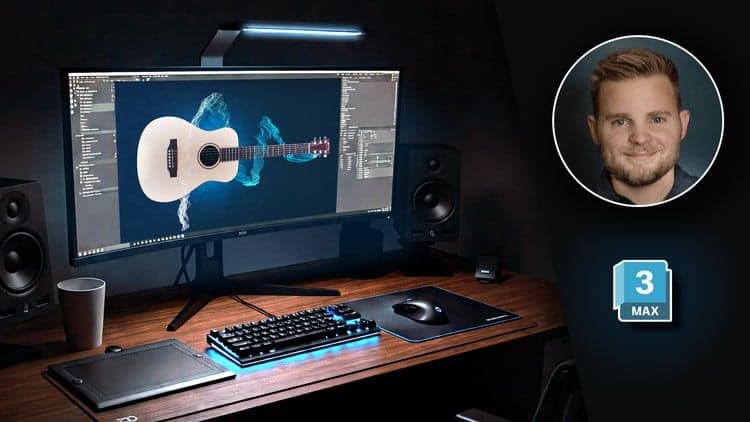
Price
No active coupon right now
View Course →No coupon right now. We'll tell you when there is one.
Mark your own learning status. Opening a course link does not establish enrollment.
Loading saved status…
This course covers 3ds Max from the ground up, including polygon and spline modeling, texturing, lighting and animation. It is pitched at complete beginners, and the projects are meant to produce portfolio pieces for games, film or visualization work.
Working through a project from start to finish gives the separate tools a shared purpose. Modeling, materials and lighting all feed into one render, which helps the steps make sense together.
Photorealistic output comes from Arnold Renderer, and the modeling section covers TurboSmooth and Open Subdivision. Material creation and camera movement are taught alongside keyframe animation.
Expect a practical course, with downloadable files for each project.
Master professional 3D modeling, texturing, lighting, animation, and rendering in 3ds Max. Learn real-world workflows fast—even if you're a complete beginner. Build stunning 3D graphics for games, films, design, and visualization.
If you have ever dreamed of creating stunning 3D models, animations, or visualizations, this course will unlock the world of 3D graphics for you. Whether you are aiming for a career in games, film, architecture, concept art, or industrial design, mastering 3ds Max is the perfect place to start.
By the end of this course, you will:
Master 3D modeling, texturing, lighting, and rendering workflows
Animate 3D objects and cinematic cameras using professional techniques
Create photorealistic renders using Arnold Renderer
Navigate and operate 3ds Max confidently
Build impressive 3D projects for your portfolio or career
Why 3ds Max?
3ds Max is a leading 3D software used across industries like gaming, film, architecture, medical illustration, and animation.
In this course, you will learn to master its powerful tools, workflows, and professional techniques — starting from scratch.
Why this course?
Project-Based Learning: Build real 3D projects, not just watch theory
Beginner-Friendly Approach: No prior experience required
Complete Skill Coverage: Modeling, materials, lighting, animation, rendering
Free Software Access: Learn using the 3ds Max student license (available for a limited time)
Professional Rendering: Learn photorealistic techniques using Arnold Renderer
Downloadable Files: All models, textures, and project files included
High-Quality Instruction: Full HD videos, crisp sound, and clear keystroke overlays
Continual Updates: New content added to stay current with the latest software versions
30-Day Guarantee: Risk-free enrollment through Udemy's money-back policy
What you will learn:
Polygon modeling using Turbosmooth and Open Subdivision
Spline modeling and using modifiers effectively
Material creation and texture mapping workflows
Lighting design for realistic scenes and environments
Photorealistic rendering setups with Arnold Renderer
Keyframe animation and professional camera movements
Clean project organization and efficient 3D workflows
By the end of the course, you will be ready to confidently create your own professional 3D projects — from detailed models and animations to complete scenes for games, films, visualizations, and more.
If you are ready to start building your future in 3D graphics, enroll now — and bring your ideas to life.
Advertisement
Tracking since 15 Nov — not enough history yet to tell you whether today's price is any good. Watch the course and we'll tell you when it drops.
This is what we recorded in US pricing — not every price this course has ever had, and prices differ by country.
No Korshub reviews yet.
Cinematic Lighting in Maya: Advanced Scenes & Projects
Cinematic Lighting in Maya: Interior & Character Lighting
Cinematic Lighting in Maya: Fundamentals & Scene Setup