Udemy
Excel to Access: Intro to Microsoft Access for Excel Users
Course4.621kALL LEVELS
$109.99
 Udemy
UdemyPrice
No active coupon right now
View Course →No coupon right now. We'll tell you when there is one.
Mark your own learning status. Opening a course link does not establish enrollment.
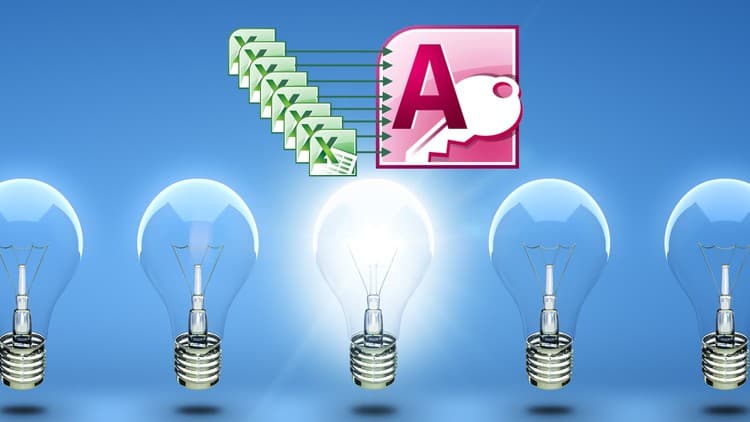
Reporting shouldn't consume hours every week. This course teaches a specific workflow: link Microsoft Access tables to Excel, create queries for any time period, and refresh all linked data across multiple sheets with a single click. The technique uses Access queries and macros, then introduces VBA programming as the next layer of automation.
Real-world examples show how to transform daily or weekly reporting from a time-consuming manual process into a push-button operation. Students report that techniques learned here immediately cut reporting time dramatically. If you spend time manually updating Excel reports from Access databases, this course demonstrates a faster path—one you can implement whether you're brand new to both tools or already familiar with their basics.
Learn How to Link Microsoft Access Tables to Excel Spreadsheets, then Update the Data Instantly!
This course shows you how to link Access to Excel so you can run a query for any time period and have it instantly update when you refresh ALL of your linked data in multiple Excel sheets. Using the techniques from this course will save you hours of time every time you create your reports!
From a Student -
"I was looking for a course that jumps right into examples and walks through the methodology in Access and Excel. This class does that perfectly. Plus, you get to see Bruce's thought process, which I believe will help in future Access/Excel projects." - Jonathan Sanborn
From another Student -
"This course is very detailed and deals with real world solutions to everyday tasks. I have used the techniques for several of my daily and weekly reports and it's amazing with a click of a button I can process the reports instantly where it took hours a week before.
The course is a fantastic step by step tutorial. Bruce breaks it down and simplifies the process and procedures so you can quickly master them and implement them in your project.!" - Stephen Davanzo
The method starts out using queries and macros and then adds an introduction to VBA PROGRAMMING. If you have never used Microsoft Access VBA, this is an excellent introduction and a very practical example of how VBA can your life easier! Anyone with just a very basic knowledge of Access and Excel can easily accomplish all the tasks in this course!
* Videos show you every step from the initial Access tables to finished Excel report!
* There is no fluff and you can go through the entire course in about 2.5 hours
From another Student -
"This is an excellent course. Easy to follow with great explanations of what to do and why. I have learned so much and will refer back to this course. I can see this course and the information it teaches being very, very helpful in real world situations where you need to access database data in excel and use excel functionality to manipulate the data further. Awesome!" - Bronwyn Wilson
Think of how much time this will save you! Any time you need to prepare Excel files for distribution, it will only take seconds! Using these techniques can save many hours every month!
And remember - you don't have to know anything more than the bare basics of Access and Excel to learn how to instantly send data from Access to Excel. Click the Take This Course button and start learning right now!
Another Student -
"I have taken several of Bruce's courses and they all are the same, Simply Excellent! I would take this course 2nd in his series after the Intro to Access for Excel Users. The material is for real world users that need to know how Access projects work in the real world situations. This instructor is very easy to understand and follow with a vast amount of practical experience to draw from. Enjoy!" - Rodney
Required Software
You should have a subscription to Microsoft 365 and have the full Office suite installed.
Advertisement
Excel to Access: Intro to Microsoft Access for Excel Users


Not the best price we've seen. The lowest we've recorded is $9.99 on 18 Aug.
This is what we recorded in US pricing — not every price this course has ever had, and prices differ by country.