SponsoredUdemy
 Udemy
UdemyPrice
No active coupon right now
View Course →No coupon right now. We'll tell you when there is one.
Mark your own learning status. Opening a course link does not establish enrollment.
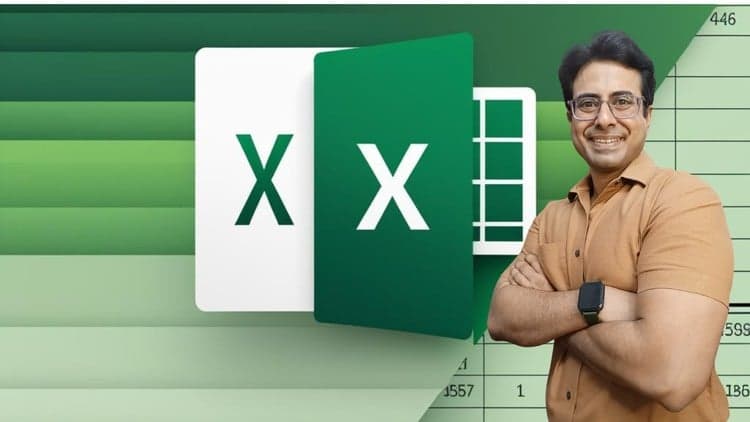
Advanced Excel isn't just formulas—it's a data language. This course takes you from spreadsheet basics through dashboards and modern functions, organized in eleven modules that layer knowledge. You'll move from essential formulas into pivot-table logic, visualization techniques, data analysis workflows, and the latest Excel capabilities: XLOOKUP, FILTER, SORT, SORTBY, UNIQUE. A dedicated Power Query and DAX module unlocks automation that most users never discover.
Built for both beginners and intermediate users who want depth, the course works with Excel versions spanning a decade (2010–2019, Office 365, and Excel 2021). Includes a Python module for those exploring broader data tools. By the end, you'll list advanced Excel skills on your resume with genuine confidence—a credential employers actively seek.
Introduction:
Are you ready to take your Excel skills to the next level?
Do you want to pursue a career in Excel related work?
Are you finding that employers these days want 'Advanced Excel Skills'?
Or maybe you've started a new job that requires more advanced Excel skills.
Do you struggle with Excel?
Not sure which formula to use for your situation?
Are you tired spending hours online trying to get "RIGHT" help?
When asked to make a dashboard or report, not sure where to start?
Module K – 15 Excel Functions Refresher, Module J – Exclusive Templates, Module I – Additional Learning 2 – Advanced Excel – More Scenario Examples, Module H – Additional Learning 1 – Dashboard Reporting in Excel with Tips, Module G – Modern Excel – DAX and Power Query, Module F – Pivot Table, Module E – Excel Charts and Visualizations, Module D – Data Analysis, Module C – Excel Formulas and Functions, Module B – Excel Essentials, Module A – Excel Basics (for Beginners)
Our Excel course is designed to take you from zero to hero so you can confidently list 'Advanced Excel Skills' on your resume/CV, or quickly get to grips with the requirements of a new job.
I have used the Excel 2021 / Office 365 to record these videos. Almost everything covered in this course will work for all the Excel versions (2010, 2013, 2016, 2019 & Office 365).
IS THIS ONLINE EXCEL COURSE FOR BEGINNERS ONLY?
This Complete Excel Course is for two types of people:
Excel beginners, i.e. anyone looking to learn Excel from scratch
Excel intermediate and Excel advanced users who want to make sure their skills cover all the essentials. This includes many Excel tricks and hidden features few data analysts know of.
The Excel Essentials for the Real World Course covers ALL the fundamentals an Excel beginner needs to know. BUT it also fills in the gaps for Excel Intermediate and Advanced users. It's for corporate professionals who feel comfortable with Excel but not 100% confident.
This is more than an Excel Basics Course. It starts off easy and adds in tips and tricks many Excel advanced users don't know of.
COURSE UPDATED to Include the BRAND NEW Excel Functions available in Microsoft 365 such as:
Excel's new XLOOKUP function
New FILTER function in Excel
SORT, SORTBY & UNIQUE functions
PYTHON Module is added
Advertisement
Microsoft Excel: Business Intelligence w/ Power Query & DAX
![Business Analytics: Excel, Stats & Looker Studio [3-in-1]](/_next/image?url=https%3A%2F%2Fimg-c.udemycdn.com%2Fcourse%2F750x422%2F4321408_ab69.jpg&w=3840&q=75)
Microsoft Excel Data Analysis - Learn How The Experts Use It
Not the best price we've seen. The lowest we've recorded is $9.99 on 17 Aug.
This is what we recorded in US pricing — not every price this course has ever had, and prices differ by country.