Udemy
Free Udemy
UdemyPrice
No active coupon right now
View Course →No coupon right now. We'll tell you when there is one.
Mark your own learning status. Opening a course link does not establish enrollment.
Building for desktop and mobile no longer means two separate designs. This course teaches you to design responsively using industry standards—HTML5, CSS3, Flexbox, and Bootstrap 4—across four real projects: a restaurant site, a bike repair shop, a portfolio, and a Bootstrap showcase. You'll learn both design strategy and the practical mechanics: setting up domains, deploying to hosting, building from-scratch mobile menus using basic JavaScript.
The instructor has spent 15 years building websites professionally, so you're learning the shortcuts and the reasoning behind them. Visual Studio Code, downloadable exercise files, and live comparisons mean you can identify where your work diverges and why. This is hands-on, project-driven learning for anyone ready to ship their first professional website.
Hi there, my name is Daniel Scott and together we’re going to learn how to build professional responsive websites. which look good on mobiles, tablets and desktop screens.
We will build 4 sites together...
a simple but elegant restaurant website.
a bike repair website.
a responsive portfolio website.
a Bootstrap website.
We cover everything you need to build your first website. From creating your first page through to uploading your website to the internet. We’ll use the world’s most popular (and free) web design tool called Visual Studio Code.
There are exercise files you can download and then work along with me. At the end of each video I have a downloadable version of where we are in the process so that you can compare your project with mine. This will enable you to see easily where you might have a problem.
We will delve into all the good stuff such as how to create your very own mobile burger menu from scratch learning some basic JavaScript and jQuery.
You will...
Learn how to work with responsive images and icons. and stunning full screen background images and probably one too many gradients.
Learn how to create forms and to choose great fonts for your website.
Learn how to work with Bootstrap 4 to easily add carousels, cards and complex looking menus.
Setup a domain name with hosting so that your website is live on the internet for others to see.
There are fun class projects for you to work on which will enable you to practice what you learn. By the end of this course you’ll have a great understanding of important web design topics like HTML5, CSS3, Flex box, Responsive design and Bootstrap.
If that all sounds a little too fancy - don’t worry, this course is aimed at people new to web design and who have never coded before. We’ll start right at the beginning and work our way through step by step.
Who am I?
I’m Dan, and I’ve been building websites for about 15 years now. I am award winning instructor, and have won a MAX Master award for the last 2 years in a row at the prestigious Adobe Max conference.
Time to upgrade yourself?
Sign up for the course and let’s learn how to build responsive websites.
Advertisement
Bootstrap 4 Quick Start: Code Modern Responsive Websites
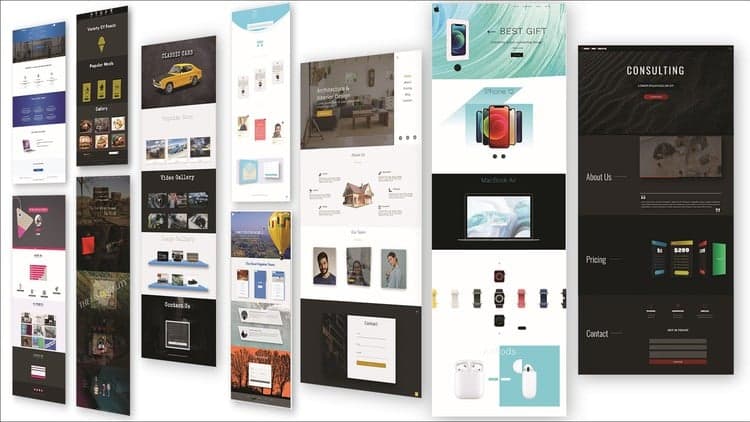
10 Mega Responsive Websites with HTML, CSS, and JavaScript
CSS Learn CSS Quick Start Course for Beginners Web Design
Not the best price we've seen. The lowest we've recorded is $16.99 on 17 Aug.
This is what we recorded in US pricing — not every price this course has ever had, and prices differ by country.