Udemy
 YouTube
Price
This course is free to watch on its platform.
Watch free on YouTube →Mark your own learning status. Opening a course link does not establish enrollment.
Loading saved status…
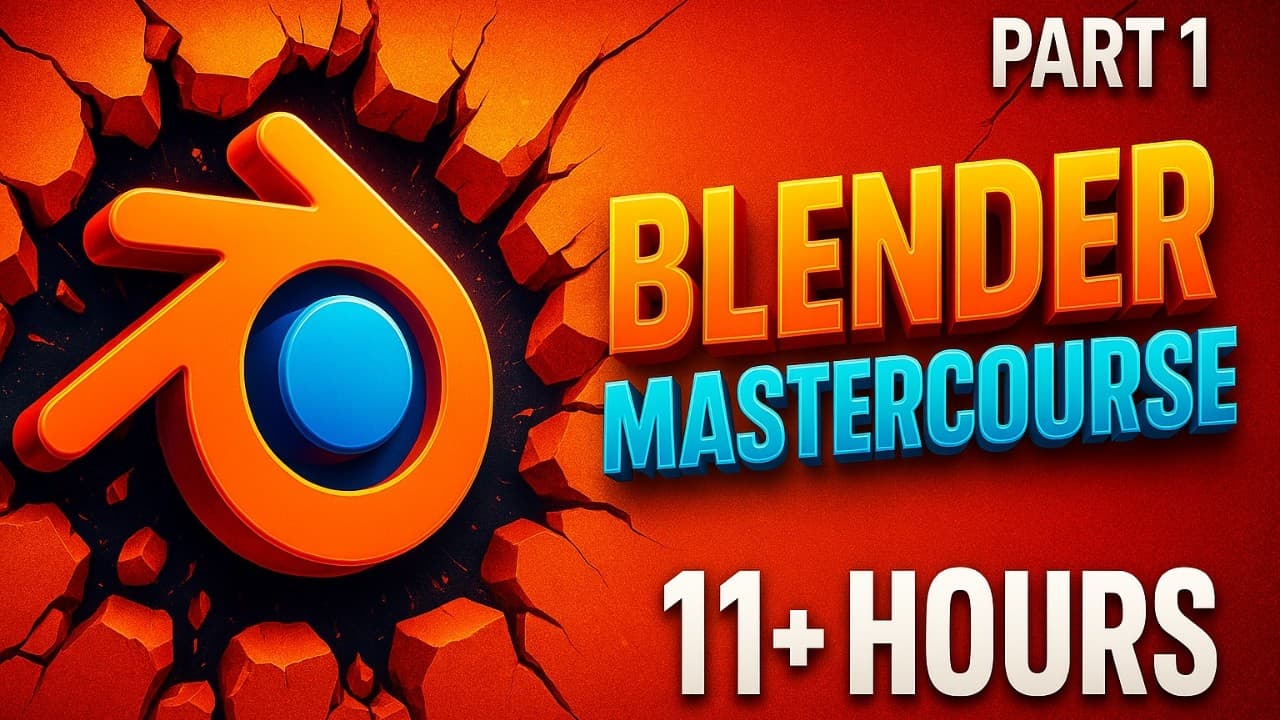
This is part one of a Blender mastercourse with 40 timestamped chapters. It begins with installation and the interface, then moves through editing tools, modifiers and the node system.
The first half is about getting comfortable with the software, so the later node and geometry lessons have a firm base to build on. Beginners can work through it in order for that reason.
Textures, shaders, scene lighting and camera work come next, followed by animation basics and advanced animation. The final stretch covers 3D text and a run of geometry nodes projects, including a snowman, buildings, a fence, grass, rocks, a house and a sci-fi corridor.
The chapter list is detailed, so you can skip to a specific topic such as vertex-paint materials or the object info node.
Download all project files:
https://jb3dstudio.com/products/all-project-files-blender-mastercourse
🔗 LINK of PART-2 of Blender MasterCourse:
https://youtu.be/X6Jv_gJ_CXE
📢 Join the Discord Community:
https://discord.gg/UpTpjg2VNe
🔔 Instagram:
https://www.instagram.com/jb3dstudio_official/
#blender #animation
Links to Other COURSES :-
1. Blender MASTERCOURSE (Part-1):
https://www.youtube.com/watch?v=mHnoznNqlis
2. Blender MASTERCOURSE (Part-2):
https://www.youtube.com/watch?v=X6Jv_gJ_CXE&t=1787s&pp=0gcJCb8Ag7Wk3p_U
3. Blender Modeling Course:
https://www.youtube.com/watch?v=fZaeJCeI_40
4. Blender Materials, Textures & Nodes Course:
https://www.youtube.com/watch?v=mwoUDVZFKmc
5. COMPLETE Blender 3D Animation Course:
https://youtu.be/IgpUXXg2Vbs
6. Blender Product Animation Course (10+ Hours): https://youtu.be/q3q3-iweRZ8
TIMESTAMPS
00:00:00 Introduction
00:00:44 Chap-1 About Blender: Installation
00:03:53 Chap-2 Understanding the Interface of Blender
00:21:37 Chap-3 Editors, Workspaces & Themes in Blender
00:31:32 Chap-4 Navigating & Saving in Blender
00:37:17 Chap-5 Objects in 3D View Editor
00:49:39 Chap-6 Editing Objects in Blender
01:01:04 Chap-7 Editing Tools in Blender
01:08:36 Chap-8 Modeling Basic Objects in Blender
01:27:22 Chap-9 Advanced Tools in Blender
01:36:01 Chap-10 Modifiers in Blender
01:38:49 Chap-11 All Generate Modifiers
02:05:49 Chap-12All Deform Modifiers
02:27:30 Chap-13 Node Components (Basics)
02:43:53 Chap-14 Node Components (Intermediate)
03:02:03 Chap-15 Node Components (Advanced)
03:08:05 Chap-16 Textures (Part-1)
03:22:27 Chap-17 Textures (Part-2)
03:39:37 Chap-18 Image Textures
03:51:03 Chap-19 Using Object Shape to place Materials (Vertex Paint)
03:58:56 Chap-20 Object Info Node
04:06:07 Chap-21 Basic Shaders (Part-1)
04:32:33 Chap-22 Basic Shaders (Part-2)
05:05:12 Chap-23 Procedural Shaders (Part-1)
05:29:07 Chap-24 Procedural Shaders (Part-2)
05:41:45 Chap-25 Scene Lighting & Camera
05:54:19 Chap-26 Animation (Basics)
06:28:10 Chap-27 Animation (Advanced) Part-1
06:42:35 Chap-28 Animation (Advanced) Part-2
06:53:20 Chap-29 3D Text in Blender
07:06:19 Chap-30 Geometry Nodes: Creating a Snowman
07:24:01 Chap-31 Geometry Nodes: Creating Buildings
07:55:35 Chap-32 Geometry Nodes: Creating Fence
08:12:15 Chap-33 Geometry Nodes: Creating Base of Landscape
08:25:07 Chap-34 Geometry Nodes: Creating Grass
08:51:34 Chap-35 Geometry Nodes: Creating Rocks
09:19:38 Chap-36 Geometry Nodes: Creating a House
10:10:00 Chap-37 Geometry Nodes: Creating a Donut
10:32:53 Chap-38 Geometry Nodes: Creating a Meteor Apocalypse Scene
11:07:21 Chap-39 Geometry Nodes: Creating a Sci-Fi Corridor
11:39:19 Chap-40 Geometry Nodes: Creating a Billboard with Text
Credits:-
https://www.flaticon.com/free-icons/wasd
https://www.vecteezy.com/video/8854307-computer-folder-icons-set-animation-transparent-background
https://www.vecteezy.com/video/1802972-stop-motion-of-folder-transferring-or-copying-a-file-to-another-folder
https://www.vecteezy.com/video/31121514-typing-a-digital-code-by-a-programmer-in-a-programming-language-luminous-letters-and-numbers-making-computer-programs-yellow-background
"Apple" (https://skfb.ly/6YMxn) by Moshe Caine is licensed under Creative Commons Attribution (http://creativecommons.org/licenses/by/4.0/).
Wood Texture Image: https://www.freepik.com/free-photo/brown-wooden-flooring_4246371.htm#query=wood%20texture&position=12&from_view=keyword&track=ais_user&uuid=3cd2ce7e-1545-46b3-ade7-ef92963f02fb
Resources:-
1. CHAPTER-13: Reference Images Links:-
HDRI Link: https://polyhaven.com/a/overcast_soil_puresky
Image Texture Link: https://picjumbo.com/wood-working-repetitive-seamless-texture/
Some websites with good HDRI collection (free):-
polyhaven.com
https://hdri-haven.com/
blenderkit.com
(Kindly note that none of these websites have paid anything to me, and there is no sponsorship, all these are genuinely good websites for downloading HDRI for your Blender projects.)
2. CHAPTER-18: Link for Brick Texture: https://ambientcg.com/view?id=Bricks085
Keywords:
blender tutorial for beginners full course
blender beginner
blender fundamentals
blender basics
blender course
blender mastercourse
how to learn blender
blender animation
blender animation course
blender crash course
blender course for beginners
blender advanced course
blender 3d course
animation course
3d animation course
blender masterclass
blender tutorials
blender introduction
blender introduction for beginners
blender for beginners
3d physics
3d modelling
blender
3d animation
3d simulation
blender tutorial
blender for beginners
blender masterclass
blender mastercourse
blender master course
introduction to blender
how to learn blender
Advertisement
No Korshub reviews yet.