Other
Free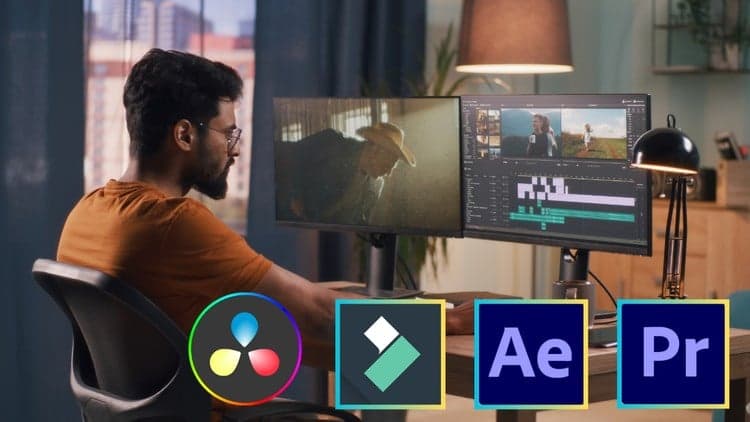
Price
No active coupon right now
View Course →No coupon right now. We'll tell you when there is one.
Mark your own learning status. Opening a course link does not establish enrollment.
Loading saved status…
This bootcamp spans Adobe Premiere Pro, Adobe After Effects, Wondershare Filmora and DaVinci Resolve. Rather than treating them as separate courses, it presents each as a different stage of a workflow: editing and organizing in Premiere, motion graphics in After Effects, quick edits in Filmora, and color grading and finishing in Resolve.
Beginners who want an overview of several editors will find the range useful, and experienced editors may use the course to learn how the tools hand work to one another. The breadth means each program gets a focused introduction rather than a full masterclass.
Expect a broad tour rather than deep specialization in any single tool.
Do you want to learn video editing and want to become expert?
Unlock the full potential of your creative vision with our Video Editing Bootcamp! Whether you're a beginner looking to dive into the world of video editing or an experienced editor seeking to enhance your skills, this course is designed to empower you with proficiency in four industry-leading software: Adobe Premiere Pro, Adobe After Effects, Filmora, and Da Vinci Resolve.
What You'll Learn:
Adobe Premiere Pro Mastery:
-Navigate the Premiere Pro interface with confidence.
-Import, organize, and manage your media assets efficiently.
-Master timeline editing, including cuts, transitions, and effects.
-Learn advanced techniques for color correction and audio editing.
Adobe After Effects Essentials:
-Understand the basics of motion graphics and visual effects.
-Create stunning animations and dynamic visual elements.
-Integrate After Effects seamlessly with Premiere Pro for a streamlined workflow.
-Explore advanced features like keyframing, tracking, and compositing.
Filmora Fundamentals:
-Gain hands-on experience with Wondershare Filmora, a user-friendly yet powerful editing tool.
-Edit videos quickly with an intuitive interface.
-Add creative effects, transitions, and titles to enhance your projects.
-Export videos in various formats for different platforms.
Da Vinci Resolve:
-Dive into professional color grading with Da Vinci Resolve.
-Learn advanced editing techniques for precision and efficiency.
-Understand audio post-production and mastering.
-Utilize the powerful Fusion page for visual effects.
Why Choose This Course:
Hands-On Projects: Apply your skills with practical, real-world projects that simulate professional editing scenarios.
Expert Guidance: Benefit from step-by-step guidance by industry experts with years of experience in video production.
Career-Ready Skills: Develop a versatile skill set that makes you stand out in the competitive field of video editing.
Unlock the door to endless creative possibilities and become a video editing maestro with this comprehensive BootCamp. So Lets Start learning video editing together.
Advertisement
Tracking since 15 Nov — not enough history yet to tell you whether today's price is any good. Watch the course and we'll tell you when it drops.
This is what we recorded in US pricing — not every price this course has ever had, and prices differ by country.
No Korshub reviews yet.
Daily Editorial Workflows for Assistant Editors in Premiere

Finishing the Cut: Post-Production Pipelines in Premiere

Assistant Editor Foundations in Adobe Premiere