
Udemy
Price
No active coupon right now
View Course →No coupon right now. We'll tell you when there is one.
Mark your own learning status. Opening a course link does not establish enrollment.
This course covers the full YouTube launch process: niche research, audience definition, equipment selection, channel setup, video creation, uploading, and analytics review. Each stage includes exercises and optional AI prompts that can speed up tasks like brainstorming, research, and title generation—but every step works without AI too.
You'll master platform fundamentals: how the algorithm prioritizes content, what click-through rates mean, how watch time drives recommendations. The companion website offers downloadable resources and step-by-step exercises. Whether you're testing content ideas, building an audience, or exploring YouTube as part of a broader strategy, you'll find coverage of thumbnails, live streaming, Shorts, and all monetization paths.
Learn how to plan, create, and launch a YouTube channel from the ground up—with the option of using AI to assist along the way.
This course explores the full process of starting a YouTube channel, beginning with research and planning, then moving through equipment, video creation, uploading, and understanding analytics. The focus is on helping you understand what’s involved in going from an idea for a channel to publishing and analyzing your first videos.
Throughout the course, you’ll also see examples of how AI tools can assist with many steps in the process, such as brainstorming ideas, researching topics, generating titles or descriptions, and organizing content plans. AI is entirely optional, and every part of the course can also be followed without using it. When used, AI simply acts as a supportive tool that may help speed up certain tasks.
Students also receive exclusive access to a companion website that contains exercises, extra explanations, downloadable resources, and optional AI prompts that can be copied and used if desired.
What’s Covered in the Course:
The course walks through the main stages involved in starting and building a YouTube channel.
Understanding the Platform
The course begins with the fundamentals of how YouTube works, including how the platform generates revenue, what the recommendation system tends to prioritize, and what metrics such as click-through rate and watch time represent.
Channel Planning and Research
Before creating videos, the course explores how creators often plan a channel. This includes:
Identifying possible niches
Defining an ideal viewer persona
Researching other channels in a similar space
Generating ideas for your first videos
Exercises and optional AI prompts are included on the course pages to help guide the research process.
Equipment and Production Options
Different production setups are discussed, ranging from filming with a smartphone to using cameras, lighting, and microphones. The course also explores options such as stock footage, AI-generated video, and editing software.
The goal is to help you understand what equipment may or may not be necessary depending on the type of channel you want to create.
Setting Up Your Channel
The course then walks through creating a YouTube channel step-by-step, including:
Creating accounts
Setting up channel branding
Writing a channel description
Organizing your channel homepage
Understanding basic copyright and monetization rules
Using YouTube Studio
You’ll explore the main areas of YouTube Studio, the platform used to manage videos and channel settings. This includes the dashboard, content management, comments, subtitles, and other tools available to creators.
Creating Your First Videos
A large part of the course focuses on how a YouTube video is planned and created, including:
Choosing a topic
Writing titles and descriptions
Structuring videos to help viewer retention (with a video template you can use)
Editing style and pacing
Adding cards, tags, and end screens
Publishing your video
Optional AI tools are demonstrated for tasks such as brainstorming topics or drafting descriptions, though these steps can also be done manually.
Thumbnails and Click-Through Rate
The course also explores YouTube thumbnails, including why they influence clicks, how thumbnails are commonly structured, and how AI tools may help generate thumbnail ideas.
Uploading a Video
A follow-along walkthrough shows the process of uploading a video and applying the elements discussed earlier in the course.
Live Streaming
There is also a short section introducing YouTube live streaming, including a walkthrough of how to start a live stream.
Understanding YouTube Analytics
Once videos are published, analytics become an important source of information. The course explores key areas of YouTube analytics such as:
Click-through rate
Watch time
Audience demographics
Revenue metrics
Content trends
These insights can help inform future content decisions.
Monetization Options
The course also looks at different ways creators sometimes earn revenue from YouTube, including:
Advertising revenue
Channel memberships
Viewer donations and Supers
Affiliate links
Sponsorships
Merchandise or product sales
Creator Advice
Additional lectures discuss practical topics such as launching a channel, avoiding “creator paralysis,” planning your first videos, and filming in a way that may reduce editing time.
YouTube Shorts
The course also explores YouTube Shorts briefly, including situations where creators may choose to use them and how long-form content can sometimes be repurposed into short-form clips.
Exclusive Course Companion Website
When enrolling in the course, you’ll also receive access to a companion website designed to support the lessons.
The site includes:
Step-by-step exercises for planning and building your channel
Downloadable resources
Additional explanations and examples
Optional AI prompts that can be copied and used to assist with tasks such as brainstorming topics or drafting descriptions
This allows you to follow along with the course and apply each step as you go.
Why Take This Course?
This course provides a structured walkthrough of the process involved in starting a YouTube channel, from the early planning stage through to publishing videos and reviewing analytics.
It also explores how AI tools can act as a creative assistant for certain tasks, while keeping the process accessible for creators who prefer to work without AI.
Who This Course May Be Useful For
This course may be useful for:
People interested in starting a YouTube channel from scratch
Creators who want a clearer overview of the steps involved in launching videos
Entrepreneurs exploring YouTube as part of a broader content strategy
Anyone curious about how AI tools may assist with content creation
By the end of the course, you’ll have seen the full process of planning, creating, and launching YouTube content, along with ways AI tools may assist throughout the journey if you choose to use them.
Please note: if you are enrolled in any of our other YouTube courses, you may notice that certain lectures covering shared foundational topics are duplicated within this course. While the core content, subject focus, and teachings of each course are unique, some common topic areas may utilise the same supporting lectures across multiple courses.
Advertisement

AI Video School Complete Beginner to Pro: Veo Kling Seedance


Master AI Audio Production: Adobe Podcast & Adobe Express
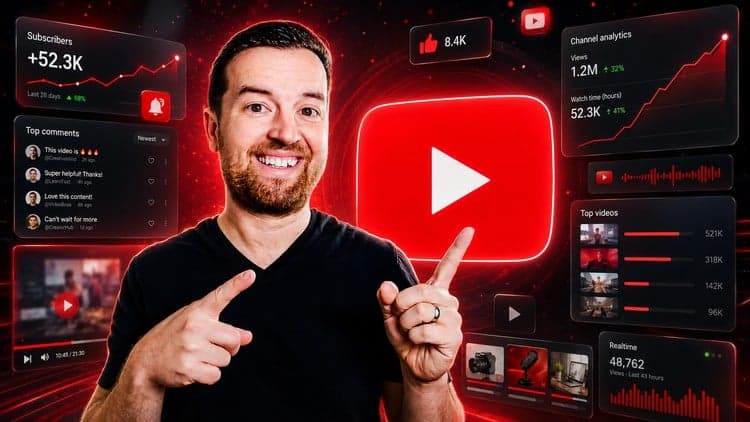
YouTube Masterclass: Your Complete Guide to YouTube Success
Not the best price we've seen. The lowest we've recorded is $10.99 on 18 Aug.
This is what we recorded in US pricing — not every price this course has ever had, and prices differ by country.