Udemy
Free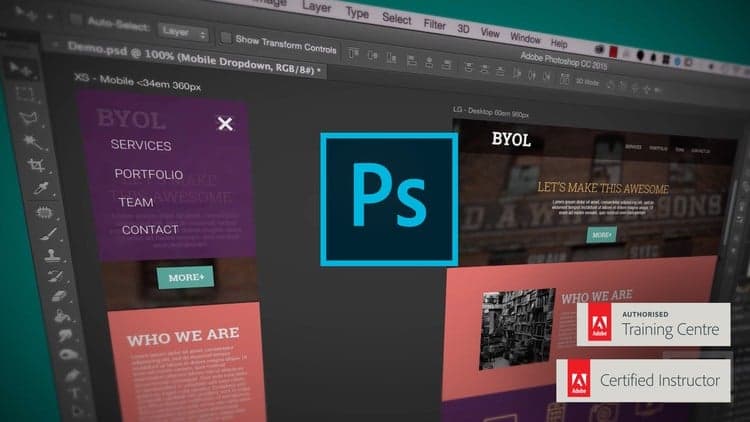 Udemy
UdemyPrice
No active coupon right now
View Course →No coupon right now. We'll tell you when there is one.
Mark your own learning status. Opening a course link does not establish enrollment.
You don't need design background; you need professional website mockup skills—and those are what employers actually hire for. This course walks you through creating responsive designs in Photoshop, from setup through export, showing you both the desktop and mobile versions side by side.
You'll learn web-safe typography and color selection, how to crop and create full-bleed backgrounds, and the exact export process for developers. The curriculum pairs concept with hands-on practice, and the instructor provides feedback on your work so you know what matters most in real client projects.
Hi - my name is Dan and I’ll be leading you through this course on how to Build Professional Website Mockups using Photoshop. This course is for people serious about making money building professional website mockups using Photoshop.
These are the skills employers want. UI/UX design skills are where the high paying jobs are at.
I built this course for beginners. For the people nervous about changing their careers into web design - as well as for developers who lack any design skills. No experience in Photoshop or web design is necessary before taking this class.
During the course we’ll create this website for a mock creative agency - creating mobile and desktop versions. With exercise files you can download and work along with me. While we’ll start right at the basics we’ll move quickly into the professional tricks of the trade.
This course is a mixture of head and shoulders style presentations and HD screen captures. The course also includes printable notes as well as quizzes to help retain what you have learnt.
I’ll be teaching you how to setup your new documents. How to work with mobile, tablet and desktop views. You’ll be able to easily pick web safe colours and fonts for your website and preview them on your iPhone or iPad. You’ll learn how to crop images and make full backgrounds all the way through to exporting all the right files for your website. Know that I’ll be around to help - when you’re ready you can send me your work and I’ll see if they are any suggestions I can offer.
If you’ve ever wondered how to design a website in Photoshop than this is the course for you.
Now it’s time to upgrade your skills, get that better job and impress your clients.
Advertisement
UI Design with Photoshop from Beginner to Expert in 15 days
Master Web Design in Photoshop: Complete UI/UX Masterclass
Adobe Photoshop Mega Course-From Beginner to Super Designer
Not the best price we've seen. The lowest we've recorded is $9.99 on 17 Aug.
This is what we recorded in US pricing — not every price this course has ever had, and prices differ by country.