Udemy
FreeAccess
Skillshare membershipIncluded with a Skillshare subscription
This course is included with a Skillshare membership subscription.
Start your free month on Skillshare →30-day free trial, new members only.
Already a Skillshare member? Open the class
No coupon right now. We'll tell you when there is one.
Taught by Liz Kohler Brown — artist | designer | teacher | author
Mark your own learning status. Opening a course link does not establish enrollment.
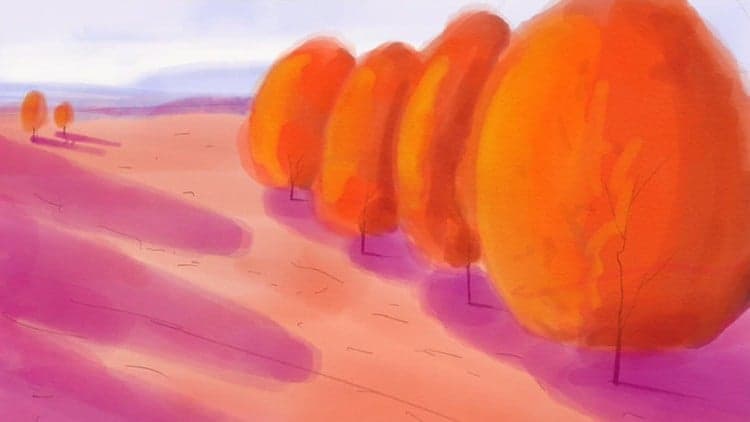
Procreate's digital brushes can convincingly mimic watercolor's organic flow, but only if you understand the medium's unique properties. This course includes nine free custom brushes and a watercolor texture designed specifically to bridge that gap.
You'll master signature watercolor effects—wet-on-wet, layering, blending—and learn how to compose with a photograph-to-sketch workflow. Three complete projects (abstract, realistic illustration, calligraphy) guide beginners through the full process.
Even if you've never opened Procreate, every step is explained. The techniques you'll learn—building depth through layers, controlling water flow, creating realistic effects—apply far beyond this course, making this a genuine foundation in digital watercolor painting.
In this class, I'll show you how to use the iPad app Procreate to make watercolor paintings that look like real pigment on paper. Procreate doesn’t come with any high quality watercolor brushes, so I created 9 brushes and a watercolor paper texture that I want to share with you as free downloads.
I’ll show you how to:
If you’ve never used Procreate before, don’t worry, I’ll show you every step of my process so even if you’re a complete beginner you can easily follow along with this class.
You'll learn how to create:
If you already know a lot about Procreate, you may want to skip to my more advanced classes on watercolors in Procreate. You can check those out here.
Click to download the paper and brushes. (the password is shown at the beginning of the class)
______________
Looking for more inspiration? Head here to discover more classes on watercolor.
Advertisement
Procreate and Real Watercolors: Combining Hand Painting with Digital

The Digital Painting w/ Procreate Guide | Grayscale method
Art Made Easy: Draw and Paint with the IPad Pro
Watercolor Photoshop Painter: Create Watercolor Art From Photos