SponsoredUdemy
 Udemy
UdemyMark your own learning status. Opening a course link does not establish enrollment.
This beginner course introduces Microsoft Excel from the ground up, taking a project-based approach rather than isolated feature demonstrations. Instead of memorizing menus in the abstract, you follow along as the instructor builds toward a single goal: a fully functional budgeting spreadsheet complete with formulas, formatting, and charts.
The course is taught in Excel 2010, but the instructor notes it remains applicable to Excel 2007 and later versions, with a note that the menu layout differs slightly in Excel 2013. It's taught by Abhijat Saraswat, who has used Excel professionally since Excel 95 and has trained executives, small business owners, and entrepreneurs.
Best for: students, entrepreneurs, business owners, and anyone who has never used Excel before and wants a structured, hands-on introduction.
The Excel beginners training from scratch course will introduce you to the industry standard and popular spreadsheet software. This Excel training course is perfect for those wanting to learn Excel from the very beginning and you will become comfortable using some of the core features that Excel has to offer.
The course will introduce you to a number of features, tool and techniques of Excel and is perfect for students, entrepreneurs, housewives, business owners, professionals or anyone else looking to learn Excel. By the end of the course you will have mastered the basics of Excel and will be able to manage workbooks, use formatting, perform calculations, use formulas and create charts.
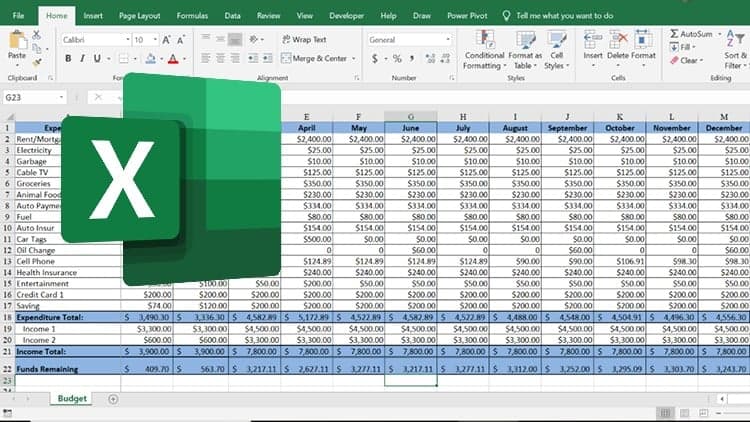
This is a hands-on beginners Excel course and you will learn by watching the instructor as he describes each action as he performs it. The course takes a project based approach, which means that you will be able to practice as you are learn and by the end of the course you will even complete a project from beginning to end – creating a fully functional budgeting spreadsheet with charts, formulas and a host of other features.
Note: The instructor uses Excel 2010 to teach the course, but the course should be suitable for those with Excel 2007 onwards. There are some differences in the menu structure if you are using Excel 2013.
Instructor: Abhijat Saraswat (Ab)
The course is taught by Ab, who is an Excel whizz and has been using Excel for over 10 years, since Excel 95. He uses Excel almost on a daily basis and has taught Excel to a large number of students including executives of large organisations, small business owners and entrepreneurs.
Advertisement