
Udemy
The Complete Flutter Guide: Build Android, iOS and Web apps
Course4.930kALL LEVELS
$64.99
Price
No active coupon right now
View Course →No coupon right now. We'll tell you when there is one.
Mark your own learning status. Opening a course link does not establish enrollment.
Loading saved status…
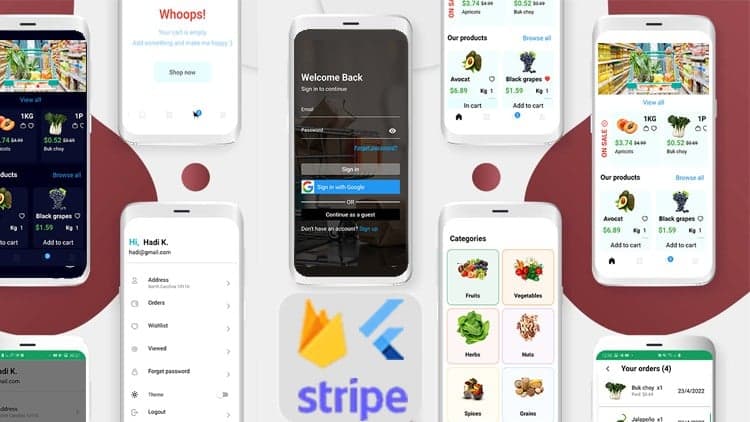
This course builds a shopping app for Android alongside a web admin panel, both backed by Firebase. Payment integration is part of the build, and the course covers both the customer-facing app and the admin side.
The user app is responsive only in portrait mode, and its search logic runs locally. The course is around 17 hours long and builds on Windows, so iOS configuration is not covered.
The course notes that the search logic could be reused in the web admin panel if you choose to implement it there, which makes the admin side a useful extension exercise.
Course prerequisites:
Basic knowledge in programming to get started
Basic understanding of Flutter and good knowledge is recommended
Concepts are explained clearly. You will always learn what you're building and why and how to do it.
How this course can be of help:
Gaining more knowledge in Flutter and Firebase with Payment integration
Learn how to make a shopping application simply with a web admin panel
A fully functional app that is ready for use and deployment
What's in the course:
Complex UI has done simply
Build a Complete mobile app With a WEB admin portal
State management
Firebase
Clean code and avoid Boilerplate code
Styles for UI
State Management: setState, lifting state up via callbacks, global access, scoped access with Provider and ChangeNotifier
Navigation & Custom navigation
Dart
Forms, input handling, and validation
Managing and updating packages
Databases and Cloud Firestore
ListViews and multiple UI states
Firebase Authentication
Firebase Firestore
Firebase Storage
Dart Programming Language - Fundamentals and intermediate&expert topics
How to understand Flutter Mobile Development by building apps incrementally.
How to design, build, and debug Flutter apps
How to get Flutter apps to communicate with a real-time database - Firestore
How to build robust apps with Flutter
Flutter AppBar
Flutter Material Design
Flutter Row and Column
Flutter ListView Builder
Payment gateway
Course structure:
approximately 17 hours of content and updated regally
Requirements:
Windows application development OR Mac application development
Access to a computer with an internet connection.
and you are ready for the journey
Love learning about applying cutting-edge algorithms to practical cases!
What Should I Expect After this Course?:
The ability to build a fully functional shopping application with Firebase and payment integration
New information regarding Flutter
Note that the course builds on Windows, so I didn't have a chance to cover the IOS configurations! But feel free to ask anything about it. I will be there to help.
Note:
This course has 2 apps, One for the user "ANDROID app in Portrait mode", and one for the admin "WEB".
Note that the ANDROID app is responsive only in portrait mode, it doesn't support landscape mode.
The search logic is done locally, and it is only available in the Android application since it is the same logic if you want to implement in the WEB Admin Panel.
The app is available on Playstore, please consider testing it before buying the course.
Advertisement
The Complete Flutter Guide: Build Android, iOS and Web apps
Flutter 1.2 with Firebase&Stripe Build shop app from scratch
Flutter BLoC State Management & Firebase [2026] From Scratch

Angular (Full App) with Angular Material, Angularfire & NgRx
Tracking since 15 Nov — not enough history yet to tell you whether today's price is any good. Watch the course and we'll tell you when it drops.
This is what we recorded in US pricing — not every price this course has ever had, and prices differ by country.
No Korshub reviews yet.