Coursera
Subscription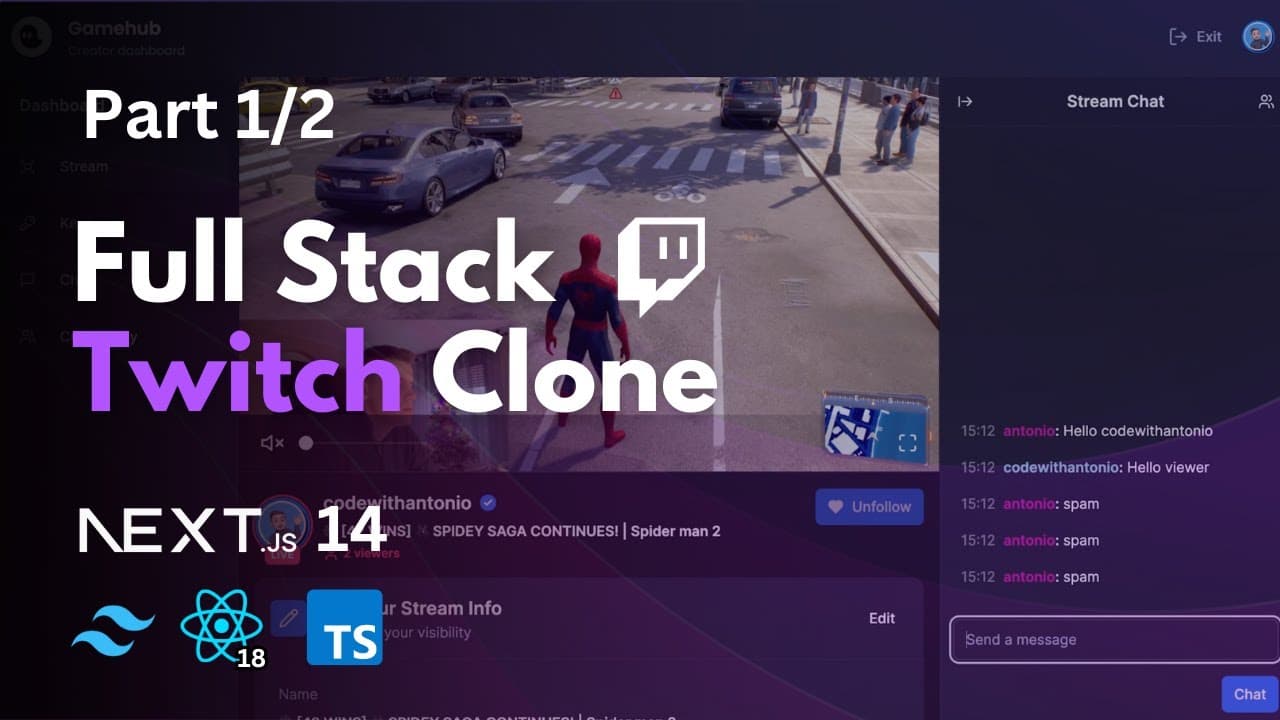 YouTube
Price
This course is free to watch on its platform.
Watch free on YouTube →Mark your own learning status. Opening a course link does not establish enrollment.
Loading saved status…
This 14-hour tutorial walks through building a Twitch-style platform with Next.js 14, starting from project setup and routing and working up to authentication, a database and live streaming. It is a project-based build rather than a short lesson, so expect to follow along for a long stretch.
Developers who want a complete full-stack project to study will find the timeline useful. The timestamps map each stage, so you can jump to the section you need, such as the database setup or the chat settings.
Github & Additional Content: https://cwa.run/twitch-clone
PART 2: https://www.youtube.com/watch?v=nav55-4ISg4
Clerk: https://dub.sh/UyH5Jb2
LiveKit: https://livekit.io/
Ngrok: https://ngrok.com/download
Nodejs: https://nodejs.org/en
Hi all 👋 In this free 14 hour tutorial you are going to learn how to build a Twitch Clone using Next 14. We are going to start with the basics like configuring Next.js, learning the routing concepts, and then slowly go deeper into setting up authentication, database, local tunnels, webhooks, all the way to generating RTMP and WHIP connections to connect to our OBS streaming software.
Key Features:
- 📡 Streaming using RTMP / WHIP protocols
- 🌐 Generating ingress
- 🔗 Connecting Next.js app to OBS / Your favorite streaming software
- 🔐 Authentication
- 📸 Thumbnail upload
- 👀 Live viewer count
- 🚦 Live statuses
- 💬 Real-time chat using sockets
- 🎨 Unique color for each viewer in chat
- 👥 Following system
- 🚫 Blocking system
- 👢 Kicking participants from a stream in real-time
- 🎛️ Streamer / Creator Dashboard
- 🐢 Slow chat mode
- 🔒 Followers only chat mode
- 📴 Enable / Disable chat
- 🔽 Collapsible layout (hide sidebars, chat etc, theatre mode etc.)
- 📚 Sidebar following & recommendations tab
- 🏠 Home page recommending streams, sorted by live first
- 🔍 Search results page with a different layout
- 🔄 Syncing user information to our DB using Webhooks
- 📡 Syncing live status information to our DB using Webhooks
- 🤝 Community tab
- 🎨 Beautiful design
- ⚡ Blazing fast application
- 📄 SSR (Server-Side Rendering)
- 🗺️ Grouped routes & layouts
- 🗃️ MySQL
- 🚀 Deployment
Timestamps
00:00 Intro & Demo
06:55 Additional content
07:29 Setup
20:19 Routing concepts
40:21 Authentication
59:21 Dark mode
01:20:48 Database setup
01:31:31 Local tunnel
01:39:14 Clerk webhook
02:06:13 Navbar
02:43:05 Sidebar
03:14:01 Recommended list
03:55:38 Hydration error
04:09:38 Follow service
04:59:22 Follow list
05:12:57 Block service
05:45:43 Creator dashboard
06:25:17 Stream model
06:38:52 Chat settings
07:03:50 Part 2
Advertisement
No Korshub reviews yet.