
Udemy
After Effects CC: The Ultimate Motion Graphics Masterclass
Course4.5103kALL LEVELS
$149.99
 Udemy
UdemyPrice
No active coupon right now
View Course →No coupon right now. We'll tell you when there is one.
Mark your own learning status. Opening a course link does not establish enrollment.
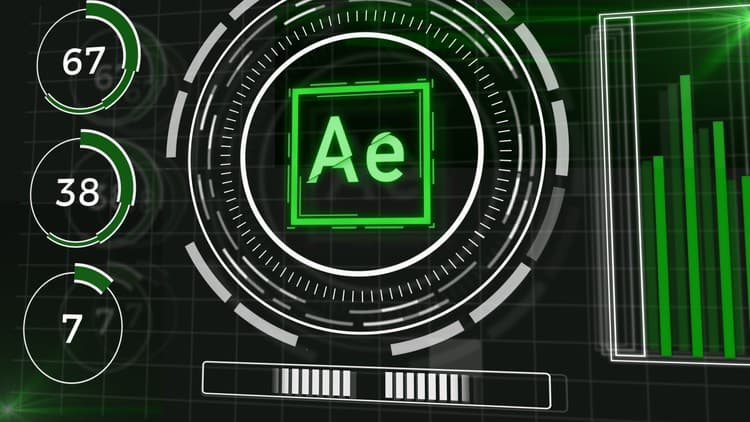
Motion graphics that look impossible—those "Iron Man" HUD effects—are actually built from straightforward techniques stacked together. Sam, who worked as a professional motion graphics artist for a Major League Baseball team with his work displayed in stadiums holding thousands of people each night, breaks down the mystery step by step.
Learn to manipulate shape layers, move virtual cameras, and write After Effects expressions that automate hours of keyframing. The course assumes some After Effects familiarity but teaches everything methodically. You'll walk away confident you can build effects that look far more complicated than they actually are.
After Effects users often times get intimidated by the "Iron Man" style futuristic HUD animations, I'm here to tell you it's nothing to be afraid of! This motion graphics effect is something anyone can do with very little After Effects experience!
So join me in this course to dissect an animation that looks super complicated and making it super simple!
In this class we will learn and experiment with:
Turning boring shape layers into something visually interesting
Virtual camera animations
After Effects expressions to save you hours of animating time.
This is an introductory course and I will be explaining everything step by step. However, you may need to have some After Effects knowledge to understand basic functionality and layout of the software.
What makes me qualified to teach you?
I’m Sam! I’m a professional motion graphics artist. I’ve worked for a Major League Baseball team for 2 years. Had my work viewed in stadiums full of 40,000+ people every night in the summer.
My job is unique and I am thankful for the teachers who have taught me After Effects motion graphics. And I want to pay it forward to you by teaching you the motion graphics techniques that I have learned of the years!
***Reviews of my other After Effects and Motion Graphics courses***
"Sam's style is light, engaging and I never become bored with his style or content. I highly recommend this course for those looking to get started with Adobe After Effects." (The After Effects Roadmap: For Beginners)
"He's a great instructor. Very clear, great examples, walks in slowly and moves at a great pace." (The After Effects Roadmap: For Beginners)
"Great Course!! Learned a lot and i feel motivated to follow some more after affects courses." (How to Create a Realistic Draw-On Effect in After Effects)
The MISSION of this course:
You don't have to be an After Effects genius to be able to make amazing motion graphics.
The bulk of this course focuses on creating and manipulating shape layers to create visually interesting motion graphics. Then we dive deeper by using these shape layer animations to create professional motion graphics projects.
I do my best to break down every step and explain why I’m doing what I’m doing. If you have any questions, hit me up in the Q&A section!
What we'll be covering in this course:
Creating basic shape layers
Adjusting shape layers and stroke properties
Using 2D Animation in a 3D space
Stylizing footage with glows, tints and reflections and more to make beautiful motion graphics.
Using After Effects expressions to automate simple animations.
Ready to be a better motion graphics artist? Join us on this course to learn much more about motion graphics than just creating HUD graphics.
Advertisement
After Effects CC: The Ultimate Motion Graphics Masterclass
Augmented Reality Picture Frames and Portal Art with Unity

Figma Prototyping: Parallax, Reveals & Page Transitions
Create Motion Graphics Templates With Adobe After Effects
Not the best price we've seen. The lowest we've recorded is $10.99 on 18 Aug.
This is what we recorded in US pricing — not every price this course has ever had, and prices differ by country.