Udemy
Free Udemy
UdemyMark your own learning status. Opening a course link does not establish enrollment.
This course introduces Onshape, a free, browser-based CAD platform, and walks through the essentials: building 3D models, assembling them into 3D assemblies, producing engineering-grade drawings, and exporting your work for other uses. Real-world examples show how the instructor applies Onshape to 3D printing and classroom teaching.
It's a solid starting point for engineering students, hobbyists, and anyone curious about computer-aided design who wants to visualize ideas before building them physically. No prior CAD experience is assumed.
Rather than only teaching button locations, the course emphasizes the underlying design thinking behind rapid product development, so the skills carry over even if you later switch tools.
Have you ever wanted to design or make something, but you need to visualize it first? Computer Aided Drafting (CAD) is a great way to rapidly develop ideas before spending time physically making something. Onshape is the perfect CAD software to get started with!
Onshape is:
Free
Browser-based
Easy-to-use
Always adding new features
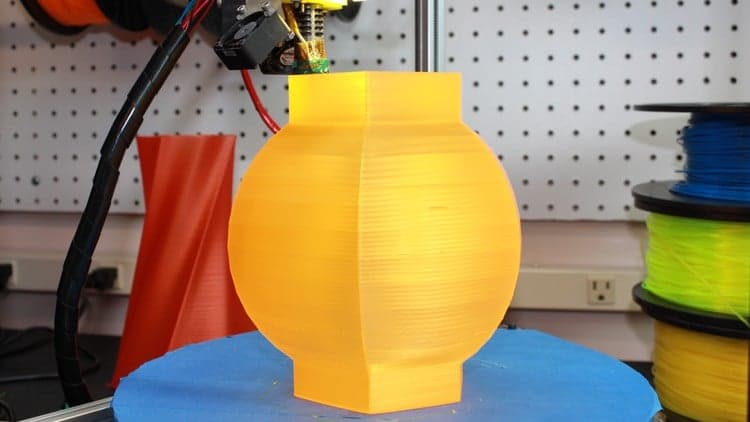
In this course, you will learn the basics of Onshape. You will learn how to create 3D models, 3D assemblies, engineering-grade drawings of your models, and how to export all of those items for other uses. You will see real-world uses of Onshape and how the instructor uses it to design items for 3D printing for personal use and classroom learning.
We will start off with the basics and learn how to create anything you can imagine inside of Onshape. We will not only focus on how to use Onshape, but get into the mindset of computer-aided design (CAD) creation so that you can apply these skills to other CAD-based software if you so desire.
Most of our work will focus on rapid product design but the principles discussed, can be applied to many other areas. If you are an engineering student, hobbyist, student, or just plain interested in CAD, this course is for you!
Advertisement