Udemy
FreeAccess
Skillshare membershipIncluded with a Skillshare subscription
This course is included with a Skillshare membership subscription.
Start your free month on Skillshare →30-day free trial, new members only.
Already a Skillshare member? Open the class
No coupon right now. We'll tell you when there is one.
Taught by Daniel Scott — Designer & Teacher
Mark your own learning status. Opening a course link does not establish enrollment.
Web design skills command attention in the job market, and this class teaches the professional part: building convincing mockups for clients. Instructor Dan Scott structures the course around creating a real project—a creative agency website in both mobile and desktop—complete with downloadable exercise files and printable notes. You'll learn to set up documents for different screen sizes, pick web-safe colors and fonts, crop and prepare images, and export production-ready files. The course targets beginners without intimidating them, and developers lacking design skills get a practical foundation. By the end, you have a portfolio piece and the confidence to pitch to clients.
Hi - my name is Dan and I’ll be leading you through this course on how to Build Professional Website Mockups using Photoshop.
These are the skills employers want. And UI/UX design skills are where the high paying jobs are at.
I built this course for - beginners - for the people nervous about changing their careers into web design. For people new to the web world - as well as for developers who lack any design skills.
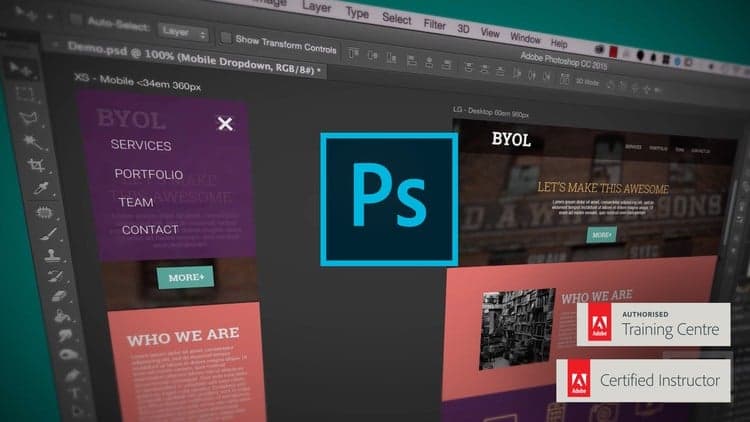
We cover everything you need to design your first web mock ups without getting too technical. During the course we’ll create this website for a mock creative agency - creativing mobile and desktop versions.
With exercise files you can download and work along with me. I also have printable notes so you can follow along and scribble your own personal notes.
I’ll be teaching you how to setup your new documents - how to work with mobile, tablet and desktop views.
You’ll be able to easily pick web safe colours and fonts for your website and preview them on your iPhone or Ipad.
You’ll learn how to crop images and make full backgrounds all the way through to exporting all the right files for your website.
Know that I’ll be around to help - when you’re ready you can send me your work and I’ll see if they are any suggestions I can offer.
Now it’s time to upgrade your skills, get that better job and impress your clients.
Download the exercise files here.
Daniel Walter Scott
Photoshop Certified Instructor, Photoshop Certified Expert, Photoshop Certifed Associate (Visual Communications).
Advertisement
Master Web Design in Photoshop: Complete UI/UX Masterclass

UI Design with Photoshop from Beginner to Expert in 15 days
Photoshop & Design For Content Marketing, ads & Social Media
MailerLite website building: Build a professional site today