Udemy
FreeStructural Frame Design & Weldments Using Solid Edge 3D CAD
Course4.511kBEGINNER
Free
 Udemy
UdemyMark your own learning status. Opening a course link does not establish enrollment.
This class introduces the concepts and best practices for designing sheet metal parts using Siemens Solid Edge, a CAD tool built with manufacturability in mind. Unlike general-purpose CAD software, Solid Edge includes features specific to sheet metal work, and the course walks through how and when to use them.
Intermediate CAD users, likely with some Solid Edge or mechanical design background, who need to design parts that will actually be cut, bent, and stretched from sheet metal rather than machined solids.
Takeaway: the course focuses on the manufacturability side of design, showing how Solid Edge's dedicated sheet metal tools streamline the path from model to fabricated part.
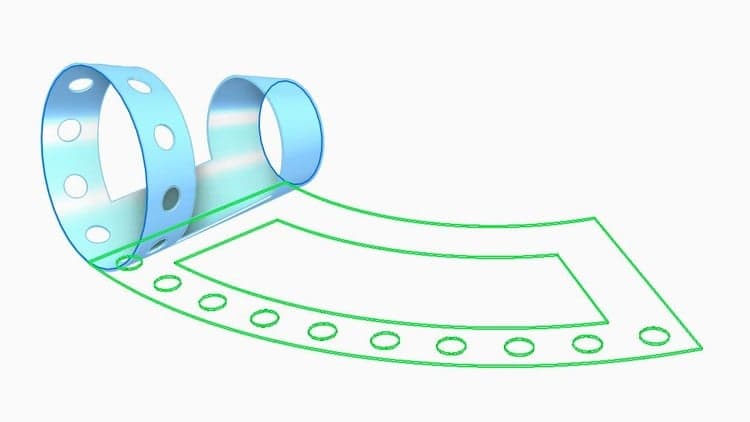
Sheet metal can be cut, bent and stretched into an amazing array of shapes. To meet unique sheet metal design challenges, like manufacturability, Solid Edge streamlines the entire sheet metal product development process, from CAD design through flat pattern and drawing development. Unlike general purpose CAD tools, Solid Edge includes sheet metal-specific features, like Emboss, Dimple, Drawn Cut, Bead, Contour Flange, Straight Brake and Etch. This class introduces the concepts and best practices for creating 3D sheet metal models with Siemens Solid Edge software. A core design capability of Solid Edge is the Sheet Metal environment, which provides an entire design-through-fabrication workflow, using streamlined synchronous modeling methods tailored to the unique needs of sheet metal design.
Advertisement
Structural Frame Design & Weldments Using Solid Edge 3D CAD