Coursera
Subscription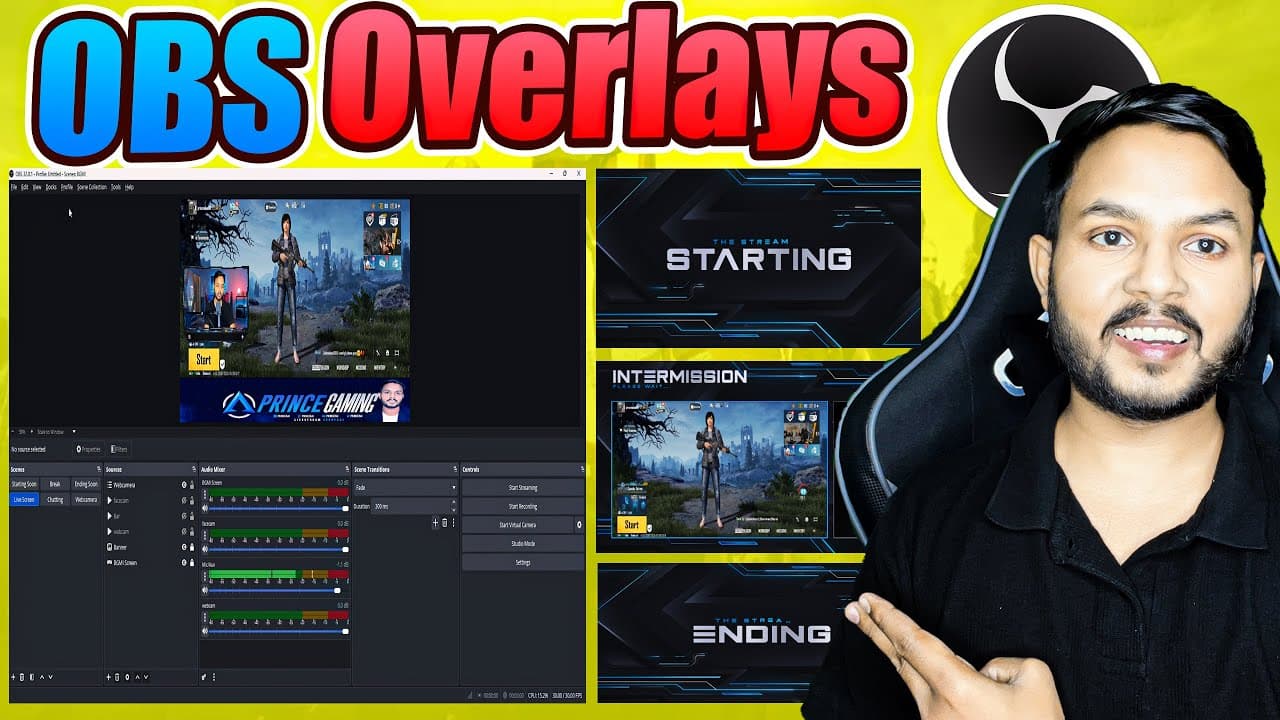 YouTube
Mark your own learning status. Opening a course link does not establish enrollment.
Loading saved status…
This course walks through OBS Studio on Windows, from installation to the settings that matter for smooth HD streaming at 720p and 1080p. It also covers building scenes with overlays, text, transitions and camera effects, so you can see how a stream comes together on screen.
The course is listed as advanced, while its description pitches it as a complete beginner-to-pro guide. Read the lesson list to judge where you fit, since the early setup material and the 24/7 and multi-platform setups ask different things of you.
🎥 Live Streaming Expert Course for OBS (Complete Beginner to Pro Guide)
Become a Live Streaming Expert and master OBS Studio in this complete, step-by-step course!
Whether you want to stream 24/7 pre-recorded videos, host live shows, or create professional gaming and music streams, this course covers everything you need.
🔥 What You’ll Learn
✅ Full setup of OBS Studio (Windows)
✅ Best settings for smooth HD streaming (720p, 1080p, 60fps)
✅ Audio & video source management
✅ Adding overlays, text, transitions & camera effects
✅ Live streaming to YouTube, Facebook & custom RTMP servers
✅ 24/7 streaming with pre-recorded videos & playlists
✅ Pro tips to grow your channel & monetize your streams
💡 Who This Course Is For
YouTubers & creators who want to stream nonstop content
Gamers, musicians, DJs & vloggers
Businesses who want to stream webinars or 24/7 content
Anyone who wants to build passive income using live streaming
⚙️ Tools Covered
OBS Studio
RTMP servers (YouTube, Facebook, Runstream, Twitch, etc.)
Stream optimization tools & analytics
🧠 After Completing This Course
You’ll be able to:
Set up & run a professional live stream from scratch
Create automated 24/7 streams using pre-recorded content
Use OBS like a pro for personal or commercial projects
Advertisement
No Korshub reviews yet.