
Udemy
 Udemy
UdemyPrice
No active coupon right now
View Course →No coupon right now. We'll tell you when there is one.
Mark your own learning status. Opening a course link does not establish enrollment.
Microsoft 365 is far more than Office with a cloud upgrade. This comprehensive course reveals the full ecosystem: collaborative tools like Teams, Planner, OneDrive, and SharePoint; organizational essentials including email, calendars, and file management; plus specialized apps like Power Apps, Power Automate, and Power BI for advanced users.
You'll learn to weave these tools together across iPhone, Android, Windows, and Mac, turning Microsoft 365 from a collection of programs into a unified productivity system. Topics span focused inbox discipline, document collaboration workflows, mobile sync, security, and compliance—giving you a complete picture of what's available when you need to unlock Microsoft's full potential.
Organize and maintain your virtual office using Microsoft 365: the powerful, everything-you-need-in-one-easy-bundle online suite
Microsoft 365 is far more than classic Microsoft Office. Powerful collaborative tools like OneDrive, Teams, Planner, and Forms combine with traditional Microsoft apps to form a powerful productivity-boosting tool – and in this course we’ll show you how to tap into all the power Microsoft 365 has to offer!
This comprehensive course for end-users provides in-depth training for tools such as email, calendars, and OneDrive, plus basic training on all the most popular Microsoft 365 apps including Teams, Planner, Forms, Yammer, Power Apps, and SharePoint.
This course not only gets you oriented and organized – it shows you how to use the power of the new cloud-based suite to maximize your productivity, from anywhere, anytime.
Whether you have an iPhone, Android, Windows PC or Mac, Microsoft 365 works seamlessly with them all.
Topics covered include:
Understanding Microsoft 365
Setting up email & Outlook on the Web
Getting organized with flags, tags, folders, and categories
Staying focused with Focused Inbox
Storing, sharing, and collaborating on files with OneDrive & SharePoint
Communicating with Teams, Yammer, and Kaizala
Using Microsoft 365 mobile apps
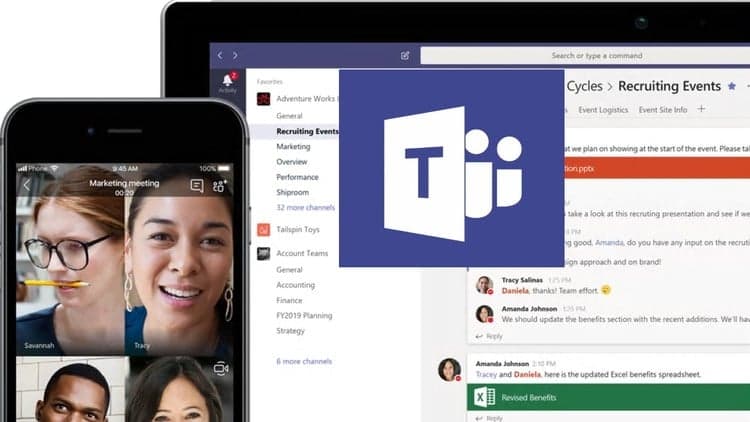
Collaborating with Teams, Groups, and Planner
Using security, compliance, and encryption options
Customizing Microsoft 365 with apps & templates
Learning Lens: your personal scanner & note-taker
Sharing video with Stream
Expanding your Office 365 capabilities with PowerApps, Power Automate, and PowerBI
Sharing, collaborating, communicating, and securing – this course teaches you everything you need to know about the latest Microsoft 365 tools and features.
High-quality HD video content in the “Uniquely Engaging”TM Bigger Brains Teacher-Learner style!
Objectives. You will be able to:
Discuss the benefits of Microsoft 365
Demonstrate the use of email features including folders, categories, sweep, and shared folders
Describe the use of Teams, Groups, Planner, OneDrive, and Yammer in Microsoft 365
List at least six mobile apps that work with Office 365
Advertisement
Not the best price we've seen. The lowest we've recorded is $13.99 on 18 Aug.
This is what we recorded in US pricing — not every price this course has ever had, and prices differ by country.

FREE Microsoft Dynamics 365 For Beginners (Updated for 2021)


![Mastering Microsoft 365 CoPilot & AI Agents [2026]](/_next/image?url=https%3A%2F%2Fimg-c.udemycdn.com%2Fcourse%2F750x422%2F6436607_551a_3.jpg&w=3840&q=75)