Coursera
SubscriptionMicrosoft 365 Essentials: Create, Collaborate, and Deliver
Course4.79kBEGINNER
Coursera Plus
View course → Udemy
UdemyPrice
No active coupon right now
View Course →No coupon right now. We'll tell you when there is one.
Mark your own learning status. Opening a course link does not establish enrollment.
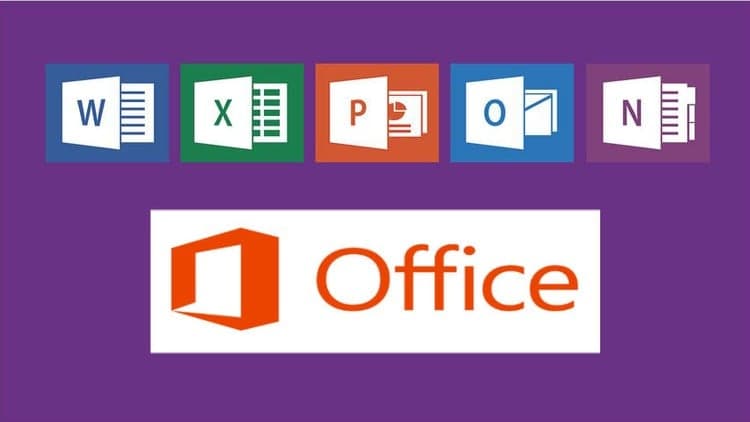
Microsoft 365 is the workplace standard across Word, Excel, PowerPoint, Outlook, Teams, OneDrive, and Copilot. This completely revised course uses interactive role-plays that drop you into genuine workplace scenarios—you watch the intro, attempt the task, then study how the instructor solved it. That learn-by-doing approach builds confidence before your first day.
No prior experience needed; only a computer and Microsoft 365. The course serves students, career-changers, jobseekers, and anyone returning to work. By the end, you'll apply these tools to real workplace tasks with the confidence employers value.
Microsoft 365 Essential Skills: Practical Office Training for Work
New Role Play Activities with Intros and Walkthroughs Now Live
In this completely revised and updated Microsoft 365 Essential Skills course, I share the real-world Microsoft Office skills people need to work confidently and productively in today’s digital workplace.
As a Microsoft Certified Trainer with years of experience helping professionals and students, I show you how to use Word, Excel, PowerPoint, Outlook, Teams, OneDrive, and Copilot effectively, with practical examples and guided exercises you can apply immediately.
What you’ll learn:
• Confidently use all the core Microsoft 365 Office apps in the workplace
• Learn the skills employers expect in Word, Excel, PowerPoint, Outlook, and Teams
• Apply best practices for creating documents, managing data, and communicating effectively
• Build confidence through practice and interactive role play activities
• Use Copilot to enhance productivity and creativity with AI
About the new Role Play activities:
The Microsoft 365 Essential Skills course now includes brand-new interactive role play scenarios. These realistic exercises put you in genuine workplace situations using Word, Excel, Outlook, PowerPoint, OneDrive, Teams, and Copilot. Each role play includes an Intro video explaining the task and a Walkthrough video where I demonstrate my approach. You’ll complete each exercise yourself, then compare your solution to mine — a proven way to boost confidence and job readiness.
Who should take this course:
• Professionals and students who want to improve workplace productivity
• Jobseekers who need Microsoft 365 skills on their CV or résumé
• Anyone returning to work who wants to refresh their Microsoft Office knowledge
• Users upgrading from older versions of Microsoft Office who want to get up to speed quickly
• Learners who want practical training with AI tools such as Copilot
Before you start:
No previous experience is required — just access to a computer and Microsoft 365 (Office 365). Most examples can also be followed in older versions of Office, but since Microsoft 365 Copilot is the current platform, this course focuses on that version. When appropriate, files used in tutorials are provided within the Udemy environment for you to follow along. You’ll build confidence faster when you try things yourself.
By the end of this course, you will be able to:
• Use Microsoft Word, Excel, PowerPoint, Outlook, OneDrive, Teams, and Copilot confidently
• Apply Microsoft 365 tools to real workplace tasks
• Create professional documents, analyse data, and collaborate online
• Use AI-driven productivity features to save time and improve results
• Demonstrate job-ready Microsoft 365 skills employers value
Why take this course:
Whether you’re enhancing your career, refreshing your knowledge, or simply becoming more confident with Microsoft 365, this course helps you master the tools that businesses rely on every day through clear explanations, practical examples, and realistic role play exercises.
Start learning today and discover just how powerful and practical Microsoft 365 can be.
Advertisement
Microsoft 365 Essentials: Create, Collaborate, and Deliver



Not the best price we've seen. The lowest we've recorded is $13.99 on 18 Aug.
This is what we recorded in US pricing — not every price this course has ever had, and prices differ by country.