
Udemy
Free Udemy
Price
No active coupon right now
View Course →No coupon right now. We'll tell you when there is one.
Mark your own learning status. Opening a course link does not establish enrollment.
Loading saved status…
This course runs for roughly 14 hours of video and focuses on networking theory, with the OSI model, TCP/IP, subnetting and cabling covered through clear diagrams. Windows Server 2025 and Windows 11 demonstrations show how the same concepts appear in a real environment.
DHCP, APIPA, DNS, Remote Desktop Services and Routing and Remote Access are demonstrated, along with a live Windows Firewall walkthrough. The TCP/IP command-line tools, including ping, tracert, ipconfig, netstat and pathping, get their own hands-on segments.
It is aimed at people starting in IT who are preparing for Network+ or CCNA, or simply want to understand networks from the ground up.
LEARN MICROSOFT NETWORKING FUNDAMENTALS FROM ONE OF UDEMY'S TOP IT INSTRUCTORS
Are you looking to understand how computer networks really work? Do you need to learn networking fundamentals, TCP/IP, subnetting, and Windows networking concepts? Whether you're starting your IT career, preparing for Network+ or CCNA certification, or simply want to understand computer networking from the ground up, this comprehensive course is exactly what you need.
Computer networking is the foundation of all modern IT infrastructure. Understanding how networks operate, how data travels through the OSI Model, how TCP/IP protocols work, and how to properly subnet networks is essential for anyone working in IT—from help desk technicians to system administrators to aspiring network engineers.
In this 14.5-hour comprehensive course, I'll teach you networking fundamentals through clear explanations, visual diagrams, and demonstrations of key concepts. You'll master the theory behind computer networks and develop practical skills in subnetting and network troubleshooting.
WHAT STUDENTS ARE SAYING
"Alton is very easy to understand and is thorough with his explanations. Keeps a good pace and presents information in a fashion that makes sense and builds upon previous lectures. Would definitely recommend his classes to others." — Matthew ★★★★★
"I took this to help someone else. But Alton had a free subnetting class he offered that I took and it was fantastic. SO, thought I would pay for this and he did not disappoint. On point teaching and loads of helps. Very good person to learn from." - Wayne ★★★★★
"I've taken a few IT courses here at Udemy and by far Alton is the best instructor in my opinion. His English communication is clear & concise. Some other instructors are almost near impossible to understand. Alton is well organized & his content is prepared very well. He always teaches the background information first before he proceeds with the next section. This course has lots of lab content so not only is there excellent theory, but it is demonstrated. This makes absorbing this material that much easier." - Matt ★★★★★
"This course is great! I had very limited knowledge of this material before your course. It has been many years since I have studied anything, but you did a superb job of laying things out and explaining them." - Alan ★★★★★
COMPREHENSIVE NETWORKING THEORY WITH KEY DEMONSTRATIONS
This course focuses on teaching you networking concepts and theory that form the foundation of all computer networking. While the majority of the course covers essential networking fundamentals through lectures and visual explanations, you'll also see key concepts demonstrated in hands-on sections: Windows Server 2025 and Windows 11 networking services, a live Windows Firewall demonstration, and TCP/IP command-line troubleshooting tools.
WHAT YOU'LL RECEIVE IN THIS COURSE
13.5 Hours of HD Video Lectures on Networking Fundamentals
In-Depth Subnetting Training with Practice Worksheets and Worked Examples
Windows Server 2025 and Windows 11 Demonstrations (DHCP, APIPA, DNS, Remote Desktop Services, Routing and Remote Access)
Live Windows Firewall Demonstration on Windows Server 2025 and Windows 11
TCP/IP Command-Line Tools Demonstrations (Ping, Tracert, IPConfig, Netstat, PathPing)
18 Section Quizzes to Reinforce Your Learning
PDF Lectures of All Course PowerPoint Slides
Step-by-Step Student Walkthrough Guides (PDF) for the Windows Server Demonstrations
Downloadable Course Videos for Offline Viewing with Udemy Mobile App
KEY COURSE TOPICS
Networking Fundamentals & How Networks Work
Computer networking basics, types of networks (LAN, WAN, MAN, PAN), networking rules and protocols
Network Components & Infrastructure
NICs, hubs, switches, routers, wireless access points, firewalls, DHCP servers, network topologies
Network Cabling
Twisted pair copper cabling, fiber optic cabling, Ethernet standards, wiring standards (568A & 568B)
The OSI Model (All 7 Layers)
Application, Presentation, Session, Transport, Network, Data Link, and Physical layers explained in detail
TCP/IP Protocol Suite
TCP/IP fundamentals, Internet layer protocols (ARP, IPv4, IPv6, ICMP), Transport layer protocols (TCP, UDP), Application layer protocols (HTTP, FTP, SMTP, SSH, DNS, DHCP), ports and communication methods
IPv4 Addressing & Subnetting Mastery
Binary math fundamentals, IP address classification, subnet masks, public vs. private addresses, APIPA, subnetting Class C networks with multiple worked examples and practice worksheets
IPv6 Fundamentals
IPv6 addressing, types of IPv6 addresses, IPv4 to IPv6 translation and compatibility
Understanding Switches
How switches work, MAC address learning, collision domains, VLANs, Layer 3 switches, managed vs. unmanaged switches
Understanding Routers
Routing tables, static vs. dynamic routing, routing protocols (RIP, OSPF, BGP), Network Address Translation (NAT), routing demonstrations with Windows Server and Cisco Packet Tracer
Windows Networking Services
DHCP, APIPA, DNS, Remote Desktop Services (RDS), Routing and Remote Access Service (RRAS) - demonstrated with Windows Server 2025 and Windows 11
Name Resolution Process
DNS, NetBIOS, WINS, host files, complete name resolution workflow
Wireless Networking
802.11 standards, wireless security (WEP, WPA, WPA2, WPA3), signal degradation, wireless vulnerabilities
Wide Area Networking (WAN)
WAN technologies, circuit switching vs. packet switching, cable broadband, DSL, fiber broadband, cellular broadband, satellite internet, dedicated leased lines, Metro Ethernet
Network Security
Intranets, extranets and the Internet, perimeter networks (DMZ), firewalls, a live Windows Firewall demonstration, proxy servers, VPN, IPSec, intrusion detection and prevention
TCP/IP Command-Line Tools
Accessing and using Command Prompt, plus hands-on demonstrations of IPConfig, Ping, Tracert, PathPing, Netstat for network troubleshooting
BY THE END OF THIS COURSE, YOU'LL BE ABLE TO:
Understand how computer networks work and explain networking fundamentals to others
Explain the OSI Model and TCP/IP protocol suite including how data flows through network layers
Subnet IPv4 networks using subnet masks and calculate network addresses, broadcast addresses, and host ranges
Understand TCP/IP protocols including IPv4, IPv6, TCP, UDP, ARP, ICMP, and common application protocols
Explain how switches and routers work including VLANs, routing tables, and routing protocols
Understand Windows networking services including DHCP, DNS, and Remote Desktop Services
Use TCP/IP command-line tools (Ping, Tracert, IPConfig, Netstat) for basic network troubleshooting
Understand wireless networking standards, security protocols (WEP, WPA, WPA2, WPA3), and vulnerabilities
Explain network security concepts including firewalls, VPNs, IPSec, and DMZ configurations, and how Windows Firewall rules allow or block traffic
Build a strong foundation to pursue Network+, CCNA, or other networking certifications
PERFECT FOR NETWORKING BEGINNERS
This course is designed for absolute beginners with no prior networking knowledge. Whether you're starting your IT career, switching into networking, or preparing for professional certifications, you'll learn networking concepts from the ground up using clear explanations and my proven "Keep It Simple, Student" (KISS) methodology.
ORIGINALLY DESIGNED FOR MTA 98-366, CORE CONCEPTS REMAIN ESSENTIAL
This course was originally created as comprehensive preparation for Microsoft's MTA 98-366 Networking Fundamentals certification (retired June 2022). While that certification is no longer available, the fundamental networking concepts covered in this course remain essential for IT professionals and provide an excellent foundation for pursuing current networking certifications like CompTIA Network+ or Cisco CCNA.
WHY LEARN NETWORKING FUNDAMENTALS NOW?
Networking knowledge is the foundation of every IT career path. Whether you're troubleshooting connectivity issues at a help desk, administering Windows servers, securing enterprise networks, or preparing for technical certifications, understanding how computer networks work is non-negotiable. This course gives you that essential foundation.
PREVIEW OVER 3 HOURS OF THIS COURSE FOR FREE
Scroll down and click the blue "Preview" buttons on any of my free sample lectures. See my teaching style and approach before you enroll.
READY TO MASTER NETWORKING FUNDAMENTALS?
Join over 250,000 students who've taken my IT and cybersecurity courses. Start building your networking knowledge today.
See you inside the course!
Alton
Advertisement
Complete TCP/IP Networking Full Course 2025: From Beginner to Expert | OSI Model, Subnetting, Routing & Security
AZ-104: Configure and manage virtual networks for Azure administrators
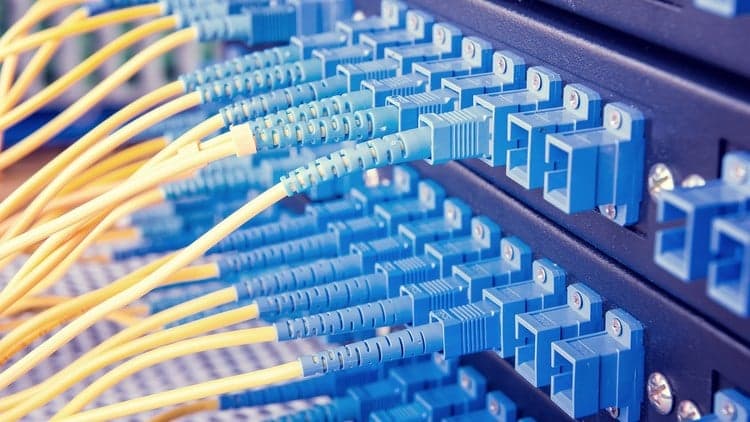
The Complete Networking Fundamentals Course. Your CCNA start
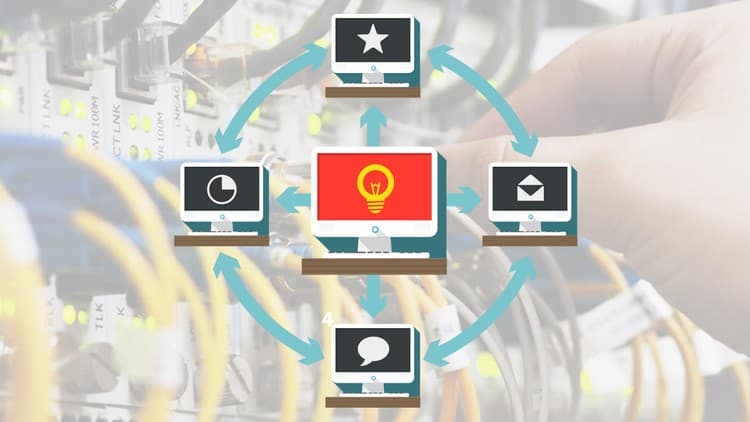
The Complete IP Subnetting Course: Beginner to Advanced!
Tracking since 15 Nov — not enough history yet to tell you whether today's price is any good. Watch the course and we'll tell you when it drops.
This is what we recorded in US pricing — not every price this course has ever had, and prices differ by country.
No Korshub reviews yet.