DataCamp
Free Udemy
UdemyPrice
$74.99
No active coupon right now
View Course →Watch this course
No coupon right now. We'll tell you when there is one.
My Learning
Mark your own learning status. Opening a course link does not establish enrollment.
UdemyPrice
No active coupon right now
View Course →No coupon right now. We'll tell you when there is one.
Mark your own learning status. Opening a course link does not establish enrollment.
PowerPivot and SQL Server Analysis Services (SSAS) power serious data work, yet most users stop at pivot tables. This course teaches both tools, starting simple—you'll build your first analysis in minutes. Then you'll explore advanced features: DAX formulas that extend your models far beyond standard Excel, drilldown analyses, and reliably structured reports.
The instruction emphasizes hands-on exercises over passive lectures. You'll build analyses you can query quickly and reliably, then help others do the same. The course also prepares you for Microsoft exams 70-779 and 70-768, valuable credentials for data-heavy roles. If you work with data professionally, this course closes the gap between what Excel can do and what you're actually using it for.
Reviews:
"In just the first few lessons, I have already been able to apply what I have learned at my job. Thank you for this course!" -- Cynthia Smith
"The Instructor is easy to understand and he gives exercises to test your understanding which is what I prefer rather than just listening to lectures. I will definitely take more of Mr Burton's classes as I like his teaching style." -- Tamuka Mazana
This course covers one of the most useful add-ins in Microsoft Excel, PowerPivot, and the Tabular model in SQL Server Analytical Services.
Please note: This course is not affiliated with, endorsed by, or sponsored by Microsoft.
We'll activate PowerPivot if you have the right version of Excel, and if not, then we'll install SQL Server on your computer, which can do the same job. We'll install the Developer edition, which used to cost $100, for free.
After PowerPivot is activated, or SQL Server is installed, we'll create our first analysis in Excel or SQL Server in just a matter of minutes.
After only these first few minutes, you will be streets ahead of anyone who doesn't know anything about Power Pivot.
After this introduction, we'll go into some detail into PowerPivot or SSAS - the initial data, and the various options that are available to you. We will go into advanced options that most people don't even know about, but which are very useful.
Then we'll develop DAX formulas, to further extend the model. A lot of the formulas are based on Excel formulas, but there are several additional things too.
By the end, you will be an Expert user of both PowerPivot and SSAS, able to create reliable analyses which are able to be drilled-down quickly, and you'll be able to help others with their data analysis.
It will assist with the Model Data section of Microsoft exam 70-779 "Analysing and Visualizing Data with Microsoft Excel".
It will also assist with the "Design a tabular BI semantic model" and "Develop queries using Data Analysis Expressions (DAX)" section of Microsoft exam 70-768 "Developing SQL Data Models".
Advertisement
Microsoft Excel: Business Intelligence w/ Power Query & DAX
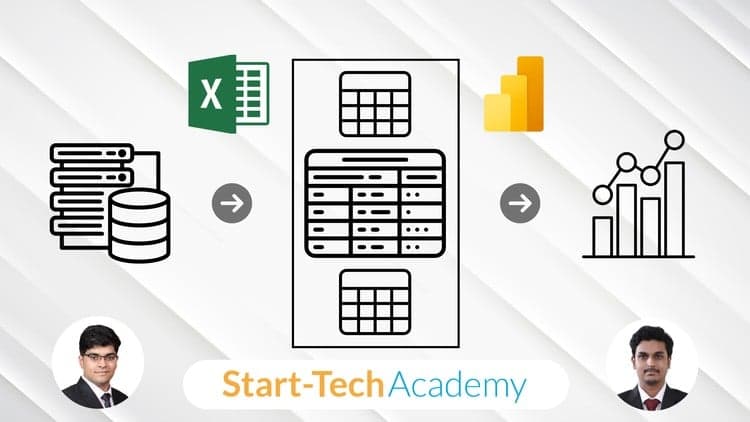

Excel Power Query, Power Pivot, DAX, Power BI & Power 3D Map
Not the best price we've seen. The lowest we've recorded is $9.99 on 17 Aug.
This is what we recorded in US pricing — not every price this course has ever had, and prices differ by country.