Udemy
Free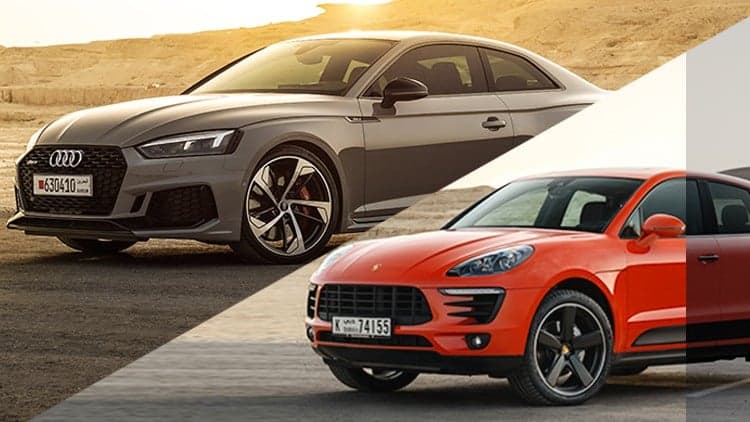 Udemy
UdemyMark your own learning status. Opening a course link does not establish enrollment.
A 12-video course focused specifically on editing and retouching automotive photography in Adobe Photoshop. It follows the instructor's own refined post-processing workflow, covering layer alignment, selective masking, cleanup with the healing brush and clone stamp, working with Camera Raw, using the pen tool for car-specific edits, sharpening, and dodging and burning to make a subject pop.
Car photographers who already know their way around basic Photoshop tools and want to level up specifically for automotive retouching, rather than photographers learning Photoshop from zero.
Prior Photoshop familiarity is a stated prerequisite, so it's better suited as a second course than a first introduction to the software.
This course is split into 12 videos that will shed some light on how to professionally edit & retouch car photos in Adobe photoshop.
It's been nearly a year since I have launched my first car photography class on Udemy & now I am back with more tools of the trade, I have refined my workflow & became better at car photography, its now time to share the knowledge with you.
Ever wondered how automotive photographers get sharp detailed photos?
Want to improve your photoshop skills for car photography?
Want to understand my automotive and car retouching workflow?
Want to have a clean & a professional looking image?
--------------------------- ” Then this course is for you ” -------------------------------
What you will learn:
Aligning layers & Determining the Base Layer
Selectively mask in details
Fix issues that wasn't noticed during the shoot
Cleaning up the photo ( Healing brush tool & the Clone stamp Tool)
How to use Camera RAW Magic
How is the pen tool used for car photography
Sharpening your Photos
Make your subject stand & pop out
New dodging & burning technique
A prior knowledge to using basic tools in photoshop is required, I will be supplying additional resources as required.
Advertisement