Udemy
 Udemy
UdemyPrice
No active coupon right now
View Course →No coupon right now. We'll tell you when there is one.
Mark your own learning status. Opening a course link does not establish enrollment.
This course contains 184 video lectures covering AutoCAD versions 2018 through 2021, offering everything from absolute beginner to advanced techniques. All lesson files download for practice, and each section includes self-assessment quizzes and real-world project drawings — floor plans, circuit diagrams, and more.
The teaching approach is project-oriented: you learn every tool and command through its actual application, not in isolation. Modules end with practical questions to test understanding. A bonus eBook lists 150 AutoCAD commands with quizzes, and closed captions in six languages make content accessible globally.
The course works for beginners starting from scratch and for seasoned users seeking specific topics or new-version features. You'll receive instructor support — every question answered — and a 30-day refund if the course doesn't meet your needs. All you need is access to AutoCAD software (student, trial, or commercial versions work, including AutoCAD LT).
This is the only course you will ever need to learn AutoCAD right from scratch.
Major Highlights of The Course
Most comprehensive AutoCAD course online with 184 video lectures
All lesson files included for download
Self-assessment quizzes and Practice drawings at the end of every section
150 AutoCAD command list and AutoCAD quizzes eBook included
New features of AutoCAD 2018, 19, 20 and 2021 version included
Taught by certified AutoCAD professional
Extra practice drawings and projects at the end of the course
An overview of AutoCAD for Mac is included
Auto-generated closed captioning in more than 6 languages (generated by Udemy)
What is this course all about?
This course is a full-length AutoCAD 2018, 19, 20 and 2021 learning package which contains almost all of the topics that you will ever need to work with this software. The course is designed for a beginner as well as seasoned users.
A beginner can start learning the software right from scratch by following the course along just from lecture one. A seasoned AutoCAD user will also find this course very comprehensive and they can choose the topics they want to learn about skipping the basics.
Project-oriented course
The course lessons are mostly project-oriented and most of the tools and commands are taught with their real-world applications. Each module ends with a practical question which is related to the course and students are encouraged to answer the questions before moving further.
Drawings for practice
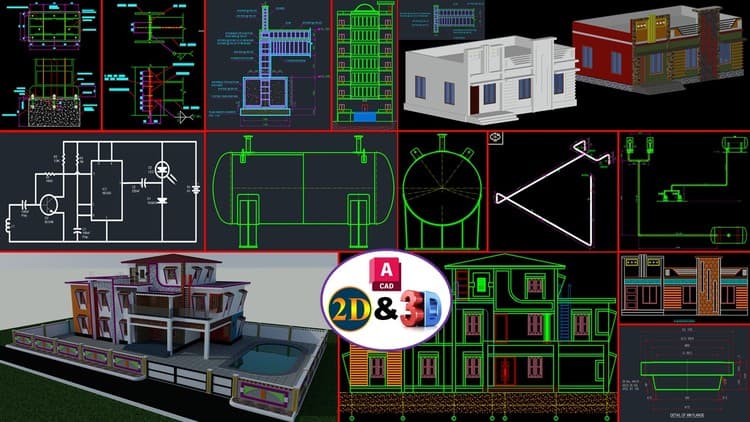
Apart from module end questions this course also contains a complete section dedicated to "practice drawings" and projects like floor plan, circuit diagram and other.
Instructor support for questions
I understand that students will have questions related to the course and its necessary also for a healthy learning process hence I encourage students to ask their questions related to the course in the Q&A section of the course. I answer each and every question as soon as possible and so far I have answered every single course-related questions from students on Udemy Q&A section.
If you are still thinking whether you should enrol or not then I encourage you to watch some of the preview videos and test the waters before you actually enrol in the course and even after enrolling if you feel that this course failed to meet your expectations then you can always ask for a refund within 30 days of purchase.
Pre-requisites
You need to have access to AutoCAD software (student, trial or commercial version) for this course. This course can be used with AutoCAD LT as well.
Advertisement



Not the best price we've seen. The lowest we've recorded is $11.99 on 17 Aug.
This is what we recorded in US pricing — not every price this course has ever had, and prices differ by country.