Udemy
 Udemy
UdemyPrice
No active coupon right now
View Course →No coupon right now. We'll tell you when there is one.
Mark your own learning status. Opening a course link does not establish enrollment.
FiLMiC Pro V6 is the trusted choice of the BBC and filmmakers like Steven Soderbergh—a testament to what a smartphone can capture when you understand the tool. This course teaches mastery of that tool, transforming your iPhone or Android from a snapshot device into a cinema-quality camera.
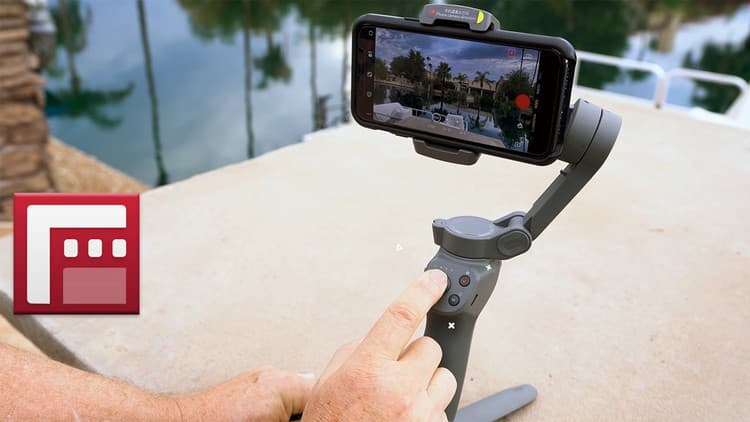
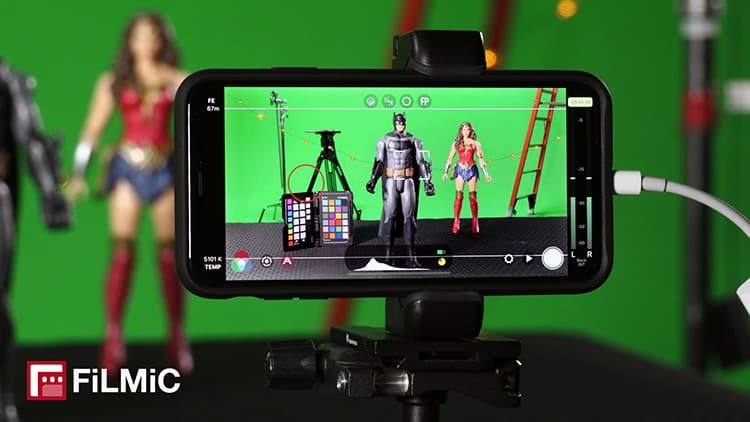
You'll move beyond auto-everything to manual control over exposure, white balance, and focus. Learn to read histograms and use focus peaking for critical sharpness. The course covers essential workflows: slow-motion capture, preset management, wireless monitoring via HDMI, and color grading log footage. Practical demos show gear setups—gimbals, third-party lenses, the Cinematographer Kit—and how to transfer files efficiently for post-production.
Best practices bookend the technical training, from pre-shoot planning to on-set discipline. Updates include newer iPhone compatibility so your skills stay current.
FiLMiC Pro is the industry leading mobile video & filmmaking app utilized around the globe. This is the camera app regularly used by the BBC. Hollywood director Steven Soderbergh also used it on two of his recent movies! And the great thing is it's available for anyone and everyone to do the same using iPhone or Android.
In this guide we'll start with the basics of getting to know the app, then learn how to use it to shoot professional quality video with your smartphone.
IMPORTANT NOTE: This course is for legacy FiLMiC Pro V6. Starting with V7 FiLMiC Pro (November 2022) is now a subscription app, however, they still allow current users to download legacy V6 and this course relates to that version of the app. This course does NOT cover FiLMIC Pro V7.
Covers these topics and more:
Choosing resolution and frame rate
Manually control white balance, exposure and focus
Using histograms, zebra stripes, and focus peaking
Setting up and shooting slow motion
Using presets to quickly repeat different shooting setups
Best audio settings
HDMI and wireless video monitoring
Timelapse settings
Best ways to transfer the video files from your phone for editing
Shooting with the Cinematographer Kit and log footage (plus a bonus color grading tutorial)
Hands-on gear demos (suggested camera rigs, gimbals and third-party lenses)
Overall Best Practices for before, during and after your FiLMiC Pro shoot
Top mobile filmmaking accessories (with direct links to Amazon and/or B&H)
Also included are any future key feature updates to the V6 app! Including Ultra Wide lens compatibility with the later iPhone models (now the iPhone 14) and info about the FiLMiC Pro DoubleTake app, 10-bit HDR and LogV3, etc.
Student Feedback:
- "I HIGHLY RECOMMEND this course to anyone wanting to know how to use Filmic Pro properly and wanting to better their cinematography." -Rico Y.
- "Extremely clear! The instructor clearly speaks at an excellent pace - not boringly slow or (worse) so fast that he cannot be understood." -George B.
- "Best produced course on FiLMiC Pro I've seen." -Eliot F.
- "Crystal clear! Great job. Thanks a lot for this course." -Antoine G.
- "Finished the course in roughly a weekend and learned at least 15 new things (actually stopped counting) that will help my filmmaking. Would recommend to anyone, of any level!" -Thomas M.
Advertisement

This is what we recorded in US pricing — not every price this course has ever had, and prices differ by country.