Skillshare
SubscriptionAccess
Skillshare membershipIncluded with a Skillshare subscription
This course is included with a Skillshare membership subscription.
Start your free month on Skillshare →30-day free trial, new members only.
Already a Skillshare member? Open the class
No coupon right now. We'll tell you when there is one.
Taught by Musketon — Visual Artist & Illustrator
Mark your own learning status. Opening a course link does not establish enrollment.
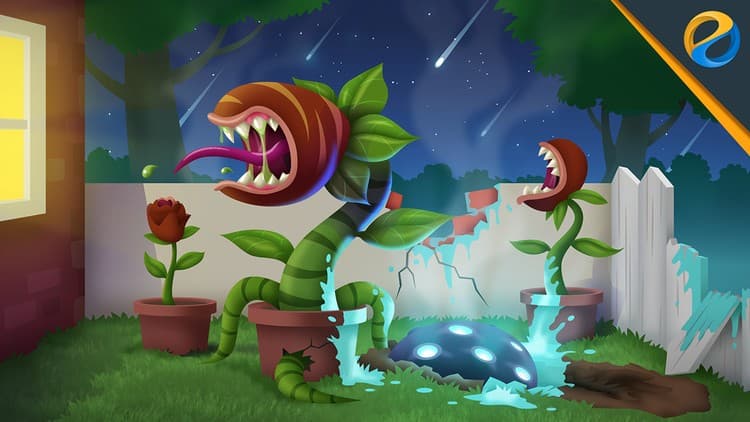
Musketon reveals how to create artistic, scalable textures by blending raster and vector effects in Adobe Illustrator — giving vector work a handcrafted depth that stands out. The course progresses from basic shape outlines through color blocking and custom textures, with attention to shortcuts, scripts, and plugins that speed your workflow. Whether you're designing for a client or building your Instagram presence, the technique adds distinctive character to any vector project.
For illustrators wanting to move beyond flat vector aesthetics.
Looking to create scalable illustrations with a handcrafted look? Learn how with custom vector textures in Adobe Illustrator!
Join illustrator and visual artist, Musketon, as he reveals an innovative approach to creating artistic and scalable textures in Illustrator. Blending raster and vector effects, he shares how you can create custom textures that will add depth and character to your work. From initial outlines to final touches, you’ll see his step-by-step process for combining tools, effects, and techniques.
Key lessons include:
Plus, Musketon shares his favorite Illustrator shortcuts, scripts, and plugins so you can speed up your workflow and create even more.
Whether you’re looking for a new skill for your next client project or simply to stand out on Instagram, after taking this class you’ll have an indispensable technique to use with any project you choose. Once you discover Musketon’s unique approach to designing and layering custom textures, you’ll never look at vector illustration the same way again.
Advertisement
Vector Brushes: Building Textured Brushes for Illustrator
Creating Trendy Designs with Abstract Patterns in Adobe Illustrator
Digital Illustration: Communicate with Color, Pattern and Texture