
Udemy
Free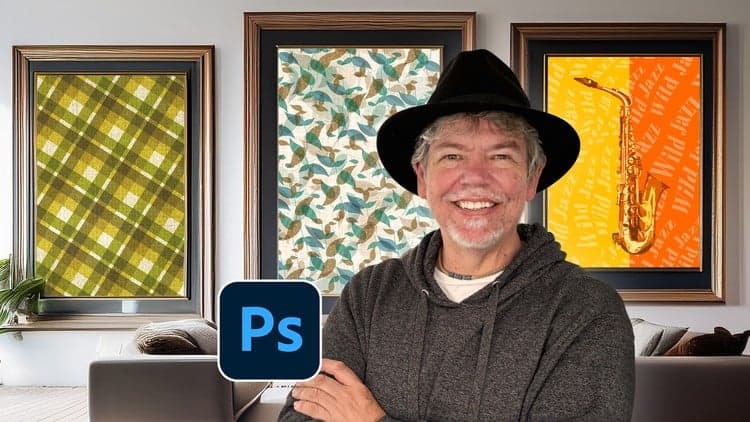 Udemy
UdemyMark your own learning status. Opening a course link does not establish enrollment.
Taught by Tim, an Adobe Certified Instructor based in London, this short class walks through Photoshop's Define Pattern feature to build a seamless 'leaves' background from scratch. It's a focused, project-based lesson rather than a broad Photoshop course — the goal is one finished, reusable pattern you fully understand how to build.
Beginners with a little existing Photoshop familiarity who want a quick, practical win rather than a long theoretical course.
Delivered in short, bite-sized videos, the course also includes the instructor's finished Photoshop file and pattern assets so you can compare your results directly against the original.
Using the fantastic Define Pattern feature in Adobe Photoshop you can create really cool and seamless patterns for backgrounds to add to your social media posts and make them really pop and create patterns for wallpapers, fabrics or greetings cards. If you’re looking to create fun, eye-catching, and easy to create media these professional techniques will make your work really jump out!
Hi, I'm Tim!
I’m an Adobe Certified Instructor and Expert, and I work as a designer based in London.
In this short and enjoyable class, I’ll show you how to create this "leaves" background - using the Define Pattern feature. This is an easy course suitable for those with little Photoshop knowledge as I will go through and explain everything step-by-step.
Whether you want to jazz up a birthday card, create unique posters or adverts, or design cool social media posts and banners, this course will give you the skills to make it happen.
In this class, you’ll learn how to:
Work with Layers and some traditional Photoshop Filters
Use a Smart Object
Use Blend Modes
Make and save your own custom patterns
All lessons are delivered in short, bite-sized videos that are easy to follow. Whilst this assumes a little bit of knowledge, even if you're a beginner, you’ll be guided step-by-step through the process.
There are no resource files for this but I've given you my final Photoshop file to look at, as well as the pattern files that I created for the leaves and also the strawberry.
So whether you’re making something for websites, social media, or your next big celebration, let’s make it fun, creative, and totally enjoyable!
Let’s get started!
All you need is a copy of Adobe Photoshop CC and your computer!
Don’t forget to share your work—I love seeing what you create!
Advertisement



Adobe Photoshop Crash Course in 60 Minutes - Quick and Easy

Graphic Design Masterclass: Design 40+ Projects in Photoshop