Udemy
 Udemy
UdemyMark your own learning status. Opening a course link does not establish enrollment.
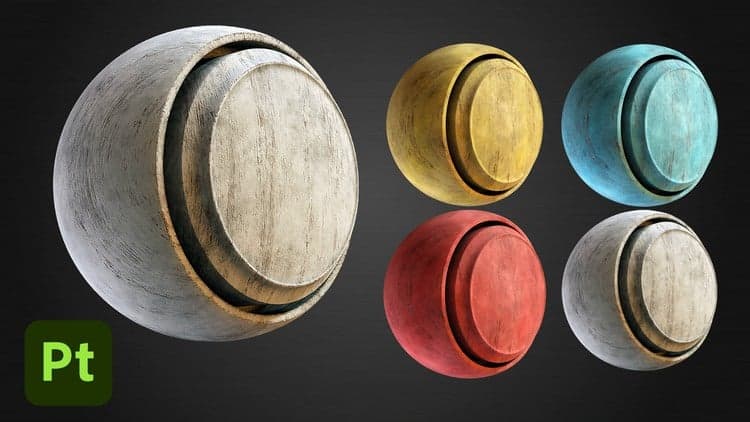
This focused tutorial walks through creating a painted wood material in Substance Painter from the ground up, ending with a Smart Material you can drop onto any model in future projects.
The two-video, 30-plus-minute lesson layers the material step by step: a base wood layer, a paint layer with added scratches and damage for realism, then dust and roughness variation to finish the look. Model, Substance Painter, texture, and alpha files are included so you can follow along exactly.
Artists who already know their way around Substance Painter's basics and want to level up with a real, layered material workflow.
Because the final material is saved as a Smart Material, the techniques transfer directly to other props and surfaces beyond the one built in the tutorial.
Hello everyone and welcome to this new course. In this tutorial we will go over creating a Painted Wood Material in Substance Painter.
What you will get:
· 2 FHD videos with more than 30 minutes of content
· All the resources files required to complete the course including the Models, Substance Painter Files, Textures, Alphas etc
We will make use of different features of Substance Painter to create this Smart Material. You can use this material on any your project or model. We will start by adding a Base Layer of Wood and then we will build further upon that adding different layers to make the material more realistic. We will add a Paint Layer and add some scratches and damages to it to give the material a better feel. We will finish the material by adding some Dust layers and Roughness Variation. At last we will learn to create a Smart Material out of all this and then we will try adding this material onto a different model and try to customize the look of it.
Who is this course for?
This course is for anyone who has a basic understanding of Substance Painter and wants to upgrade their skills.
Advertisement

Combat Knife 3D Game Asset in Blender and Substance Painter