Udemy
Free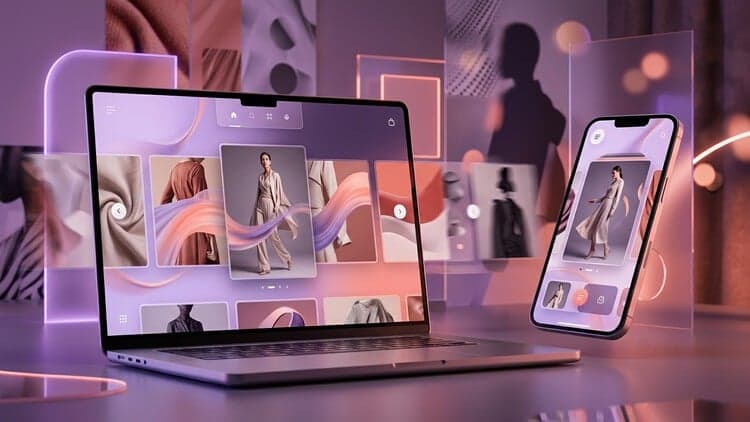
Deal Price
Codes run out fast. We'll tell you if this one's gone and a new one lands.
Mark your own learning status. Opening a course link does not establish enrollment.
Static mockups often fail to convey the full user experience. This course bridges that gap by teaching you how to bring Figma designs to life with interactive prototypes that feel authentic and responsive.
A static mockup rarely wins a client. An interactive prototype does. In this focused course you will take a finished website design in Figma and turn it into a smooth, animated prototype that feels like a real site.
You will learn the fundamentals of motion design for the web (speed, easing and parallax) and then build each interaction step by step:
Vertical parallax scrolling with frames, clip content and Smart Animate.
Image reveal effects using masks and keyframed opacity.
Horizontal parallax for a collection page.
Hover components that scale and animate with variants.
Drag-driven page transitions between home, collection, about and contact pages.
A looping arrow animation and final polish so the whole prototype feels connected.
Every lesson is short, practical and shown on screen, so you can pause and follow along in your own Figma file. No code is needed, and a free Figma account is enough.
By the end you will have a portfolio-ready interactive prototype and a repeatable set of animation techniques you can reuse in every web project, client presentation or case study.
This course is built from the interactions module of my full course Creative UX/UI Design with Figma, for students who want only the prototyping skills.
Who this course is for: UI designers, web designers, graphic designers moving into digital work, and anyone who wants their Figma designs to move.
Advertisement
This is the lowest price we've recorded.
This is what we recorded in US pricing — not every price this course has ever had, and prices differ by country.