
Udemy
 Udemy
UdemyDeal Price
Codes run out fast. We'll tell you if this one's gone and a new one lands.
Mark your own learning status. Opening a course link does not establish enrollment.
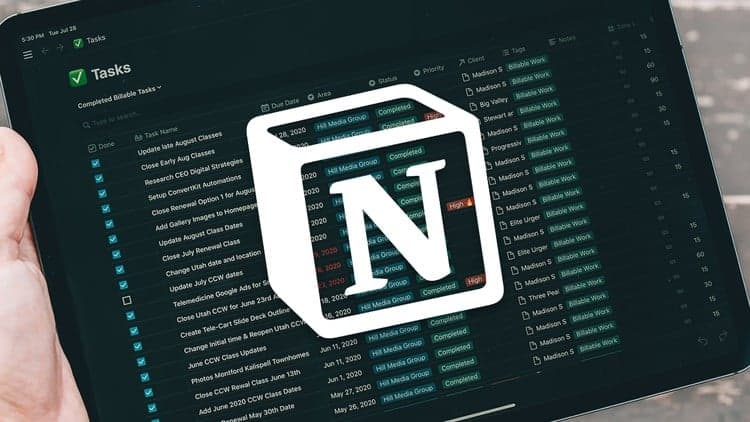
This Udemy course walks you through Notion from the ground up, covering the building blocks that make it such a flexible productivity system: blocks, databases, synced blocks, linked databases, and the formulas, relations, and roll-ups that connect them. You'll also see how to bring in integrations like Zapier for automation and even use Notion with Super to spin up a simple website.
It's aimed at anyone tired of juggling separate apps for notes, projects, and planning who wants one flexible workspace instead. No prior Notion experience is assumed — the course is built to take you step by step from a blank workspace to real, working systems.
Along the way you'll build practical projects like a notes database and a CRM, so the concepts stick rather than staying abstract. If you've bounced off Notion before because it felt overwhelming, this is a structured way back in.
LEARN NOTION ALONGSIDE 15,000+ STUDENTS
Are you looking for a productivity tool that can replace dozens of others, help you manage your personal & work life and much more all within one easy-to-use software?
Then Notion is exactly right for you!
Notion is a new type of productivity software. Because of its flexibility, it can be used to organize pretty much everything in your life.
You need a tool for project management? Notion has got your back!
You regularly take notes to stay on top of all the things happening in your life? Notion does that for you!
Notion is unique when it comes to productivity tools, and that's what makes it so great!
In this course, we'll go step-by-step through everything that Notion has to offer, so that you will be able to understand the software from beginning to end.
We'll cover topics like:
Notion blocks
Notion databases
Integrations
Synced blocks, linked databases
Formulas, relations & roll-ups
Collaborating with teams
& much more!
As a bonus, we'll cover how to automate your Notion workspace with tools like Zapier, and you'll learn how to create a website using Super and Notion.
In addition, we'll build lots of practical projects, like a notes database, a CRM and many more!
Here's some feedback from students who have already taken the course:
Great video, so systematical and easy-to-understand! - Fariz Firdausy
Perfect! Exceeded all my expectations. - Ivor Benko
Got to know a lot of new stuff, especially on database base. Good Course, overall! - Manu Raj
If you decide to buy the course, you'll also get access to our Q&A section, where I'll gladly answer any of your questions. You really have no risk, because Udemy even offers a 30-day money-back guarantee.
I hope to see you in the course. Take care!
- Janosch (Notion Ambassador)
Advertisement

Complete Time Management Course Raise Personal Productivity



Mastering Microsoft 365 (2022) (was Mastering Office 365)

How to Learn: Effective Approaches for Self-Guided Learning
Not the best price we've seen. The lowest we've recorded is $9.99 on 18 Aug.
This is what we recorded in US pricing — not every price this course has ever had, and prices differ by country.