
Udemy
 Udemy
UdemyPrice
No active coupon right now
View Course →No coupon right now. We'll tell you when there is one.
Mark your own learning status. Opening a course link does not establish enrollment.
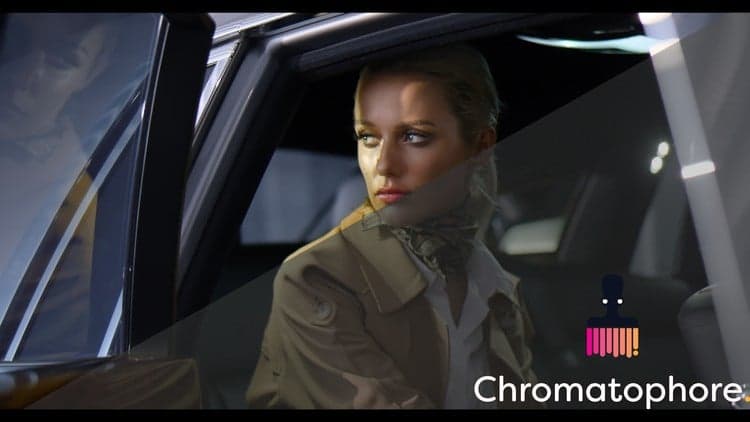
Professional color grading isn't intuition—it's a skill taught through real workflows. This course starts with DaVinci Resolve's interface and tools (white balance, lighting correction, scopes), then moves through advanced techniques: hue curves, HSL qualifiers, skin-tone perfection, and cinematic finishing (film grain, glow, sharpening). Real-world grading examples on weddings and cinematic footage show what each tool actually does.
Designed for beginners through advanced editors and created by a working colorist using real client projects. You'll learn to save and reuse node trees for speed, export correctly for different platforms, and move from color correction into full visual storytelling. By the end, you'll have the confidence and technique to give footage a professional look.
Master Cinematic Color Grading in DaVinci Resolve – From Beginner to Pro
Unlock the full power of DaVinci Resolve and learn professional color grading from the ground up. Whether you're a filmmaker, video editor, or content creator, this course will teach you how to create stunning, cinematic visuals that stand out.
This course is designed for beginners, intermediate editors, and even advanced users looking to sharpen their color correction and color grading skills. You’ll learn practical techniques used in the industry—step by step—with real footage, powerful tools, and a structured learning flow designed to accelerate your creative growth.
What You’ll Learn:
Color grading basics in DaVinci Resolve: Interface, color spaces, bit depth & more
White balance correction using multiple tools (dropper, offset, scopes, sliders)
Lighting correction and contrast enhancement using color wheels, bars, and log tools
Real-world grading demos on weddings and cinematic shots
Advanced color enhancement with hue curves, saturation control, HSL qualifiers, and ColorSlice
Creating different cinematic looks with and without LUTs
Saving, copying, and reusing node trees for faster workflows
Skin tone perfection using qualifiers and the skin tone indicator
Cinematic finishing with glow, film grain, halation, noise reduction, and sharpening FX
Export settings for YouTube, clients, and social media
Learn how to market your videos using Meta Business Suite
Discover the Polymath Method to supercharge your creative learning
Why This Course Stands Out:
Taught using the Polymath Method, proven to help hyper-learners retain and apply skills faster
Clear, engaging visuals and practical examples with step-by-step guidance
Created by a working professional using real client projects and cinematic workflows
Optimized for anyone wanting to build a career in video editing, content creation, or filmmaking
Perfect For:
Beginners looking to learn color grading in DaVinci Resolve
YouTubers, filmmakers, and video editors wanting a cinematic look
Intermediate users ready to go from correction to full visual storytelling
Content creators looking to stand out with professional-quality visuals
Aspiring colorists aiming to work in film, advertising, or content production
Join now and transform the way you see color, light, and emotion on screen.
Master cinematic color grading in DaVinci Resolve—your creative breakthrough starts here.
Advertisement
DaVinci Resolve Mastery: The Complete Video Editing Bootcamp
Not the best price we've seen. The lowest we've recorded is $9.99 on 18 Aug.
This is what we recorded in US pricing — not every price this course has ever had, and prices differ by country.