Skillshare
SubscriptionCharacter Rigging With Duik Bassel
4.6(255)11k studentsINTERMEDIATE
Access
Skillshare membershipIncluded with a Skillshare subscription
This course is included with a Skillshare membership subscription.
Start your free month on Skillshare →30-day free trial, new members only.
Already a Skillshare member? Open the class
No coupon right now. We'll tell you when there is one.
Taught by Jake Bartlett — Motion Designer
Mark your own learning status. Opening a course link does not establish enrollment.
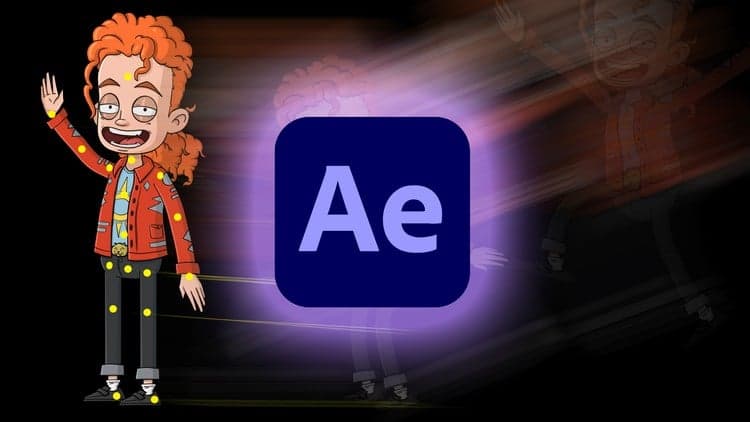
This intermediate class shows how to design and rig a character in After Effects using the free Duik Bassel script. Duik's structures system lets you build a flexible rig independent from your artwork — whether that's a flat vector character from Illustrator or hand-illustrated, textured work from Photoshop. The course covers character complexity, design requirements, the puppet tool, inverse kinematics, and walks through a full procedural walk cycle. You'll also learn cleanup, organization, and how to lock your work so scale remains consistent.
For animators ready to automate character movement.
In this class, I'll show you how to design and rig a character for animation in After Effects! Rigging is the setup process of your artwork that streamlines the animating workflow. You'll learn everything you need to get up and running with character animation.
I'll be teaching you how to use free Duik Bassel script to rig our characters. Duik Bassel introduces an entirely new way of rigging characters in After Effects through its structures system. Structures allow you to build a character rig independently from the character artwork, which is a much more efficient and flexible way to rig.
The great thing about this technique is that it isn't limited to any design style. You could create a flat vector character in Illustrator, or a hand illustrated and textured character in Photoshop. If you can design it, I'll show you how to rig it.
______________
Class Outline
______________
Looking for more inspiration? Head here to discover more classes on After Effects.
Advertisement