Udemy
 Udemy
UdemyPrice
No active coupon right now
View Course →No coupon right now. We'll tell you when there is one.
Mark your own learning status. Opening a course link does not establish enrollment.
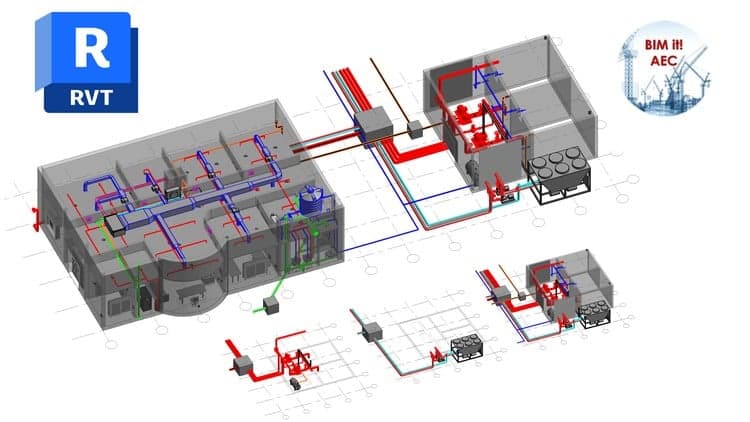
Expert instructor Tim Dundr guides you through Revit MEP 2016 with no prior CAD experience required. You'll start with interface fundamentals and keyboard shortcuts, then build real mechanical, electrical, and plumbing models piece by piece.
The course covers HVAC systems, hydronic piping, fire protection, and electrical panel schedules—each component introduced as you expand your project. You'll learn documentation workflows, worksharing setups, and how to render finished projects and create video walkthroughs. Working files are included so you follow along with the instructor throughout, building from first principles to professional-grade MEP documentation. By the end, you'll be capable of creating your own complete Revit MEP projects.
In this Revit MEP 2016 training course, expert author Tim Dundr teaches you the basics of using Revit to design mechanical, electrical, and plumbing systems. This course is designed for the absolute beginner, meaning no previous Revit MEP experience is necessary.
You will start with a tour of the 2016 user interface, including how to customize the interface and use keyboard shortcuts. You will then learn how to use the basic creation and editing tools, such as copy and paste, rotate, mirror, and extend and trim. Tim will show you how to start a new MEP project, explaining the various views, spaces, and zones you will be working with. This video tutorial also covers topics including building performance analysis, HVAC, hydronic piping systems, and plumbing and fire protection systems. You will also learn about electrical systems and electrical panel schedules. Finally, you will learn about documentation, how to set up and use worksharing, and how to present your finished projects.
Once you have completed this computer based training course, you will have developed the knowledge and skills necessary to be able to create your own projects in Revit MEP 2016. Working files are included, allowing you to follow along with the author throughout the lessons.
Advertisement




Not the best price we've seen. The lowest we've recorded is $10.99 on 17 Aug.
This is what we recorded in US pricing — not every price this course has ever had, and prices differ by country.